Why is my iPhone front camera video flipped or mirrored? (and how to fix it)
Published November 15, 2026 · 4 min read
The front-camera preview on an iPhone is mirrored, like a mirror, but a saved video can be the other way round. So the clip can look “flipped” compared with what you saw while filming, and any text behind you or on your shirt can read correctly in one and backwards in the other. Neither is a fault: they are two different views of you.
This guide explains which one is “right”, how to change it for future recordings, how to flip a clip you already filmed, and what to do if you read a script from a teleprompter. Menu names are from current versions of iOS and can differ slightly on older ones.
Why does my front camera video look flipped?
While you film, the front camera shows a mirror image, so moving your right hand moves the hand on the right side of the screen, which feels natural. A saved video can show you the way other people see you, and that is the reverse of the preview. Your parting, a mole or a logo on a shirt then looks swapped compared with the preview.
Which one you get can depend on your iPhone model, your iOS version and the app that records. Apple has a setting called Mirror Front Camera for the Camera app, and other apps can make their own choice.
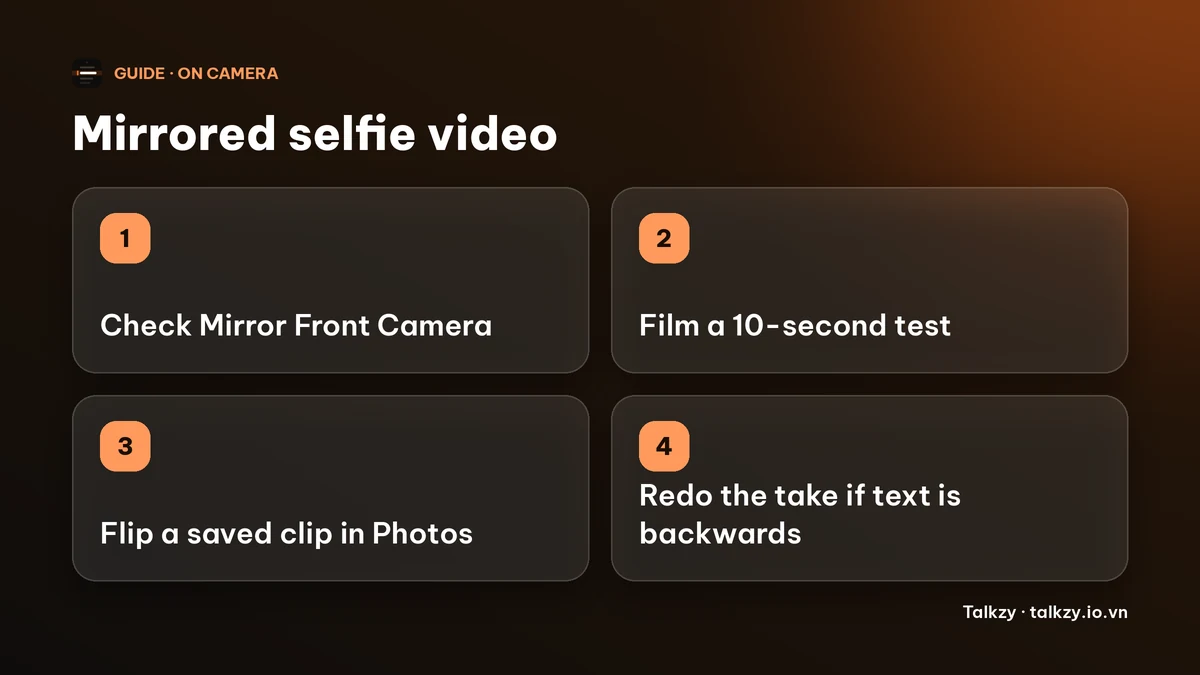
Which version is right: mirrored or not?
- Not mirrored is how people see you on a call and how a video looks to your audience. It is the safer choice for anything that contains text, such as a sign, a book cover or a slide behind you, because the words read correctly.
- Mirrored matches what you saw in the preview. Some people prefer it for photos because it looks like their reflection.
For a video you post or send to someone, choose not mirrored unless you have a reason. If you have text in the frame, check a short test clip before the real take.
How do I change it for the next recording?
- 1Open Settings and scroll to Camera.
- 2Look for Mirror Front Camera and turn it on or off. If you do not see it, your iPhone or iOS version may not offer it for video, so move to the next section.
- 3Film ten seconds with the Camera app, play it back and check any text in the frame.
The setting changes how new recordings from the Camera app are saved. It does not change clips you already filmed, and apps other than the Camera app may handle mirroring on their own.
How do I flip a video I already filmed?
- 1Open the video in Photos and tap Edit.
- 2Tap the Crop tool and then the flip icon (two triangles with an arrow) at the top left.
- 3Tap Done. You can undo it later with Revert.
If the editor does not show the flip icon in your iOS version, open the video in an editor that can flip a clip horizontally.
What if I read a script and the text looks backwards?
Script text on the screen should read normally while you film. A mirror for the script is a different thing: it is only for a beam-splitter glass rig, where the text is reflected and has to be reversed to read correctly. Do not turn it on for a normal phone setup.
In Talkzy on iPhone and iPad, the camera preview is shown as a selfie mirror, but the video file is saved as it is, not mirrored, whatever your Camera app setting. So text behind you reads correctly in the saved take. The script’s own mirror options (left–right and upside down) are for rigs and are free. Talkzy for iPhone and iPad is on the App Store, and its prompter-only mode is free.
Frequently asked questions
- Why is my iPhone selfie video the opposite of what I saw?
- The front camera preview is mirrored like a reflection, while a saved video can show you the way other people see you. They are two views, not a defect.
- Where is the Mirror Front Camera setting?
- In Settings › Camera › Mirror Front Camera. It affects the Camera app, and it may not appear on every iPhone or iOS version.
- Can I flip a video I already recorded?
- Yes. In Photos, tap Edit, open the Crop tool and tap the flip icon, then Done. You can revert it later.
- Does Talkzy save a mirrored video?
- No. Talkzy’s preview is mirrored like a selfie camera, but the recorded file is never mirrored.
- Should I turn on the mirror for my script?
- Only if you read from a beam-splitter glass rig. For a normal phone setup, leave the script mirror off.