Why your presentation clicker doesn’t work in Zoom or Meet on a Mac (and how to use it to scroll a script)
Published October 25, 2026 · 5 min read
A presentation clicker is just a tiny keyboard: it sends Page Up and Page Down to whichever app is in front. If it stops working when you share your screen in Zoom or Google Meet, the keys are almost always going to the wrong window, not to your slides. Click the slide window, share that window and test before you go live.
The same fact explains the other question, how to scroll a script with a clicker: the script has to be the app that receives the keys, or a tool has to redirect them.
Why the clicker stops working in a call
Most clickers pair through a USB receiver or Bluetooth and then act like a keyboard. A keypress goes to the app that has focus, and when you start a share, focus often lands on the meeting window or a floating share toolbar instead of your slides.
- The call window is in front, so Page Down goes to Zoom or Meet, not to Keynote or PowerPoint.
- You shared the whole screen but your slides are not in the front.
- The clicker’s battery or its Bluetooth link is weak, so some presses never arrive.
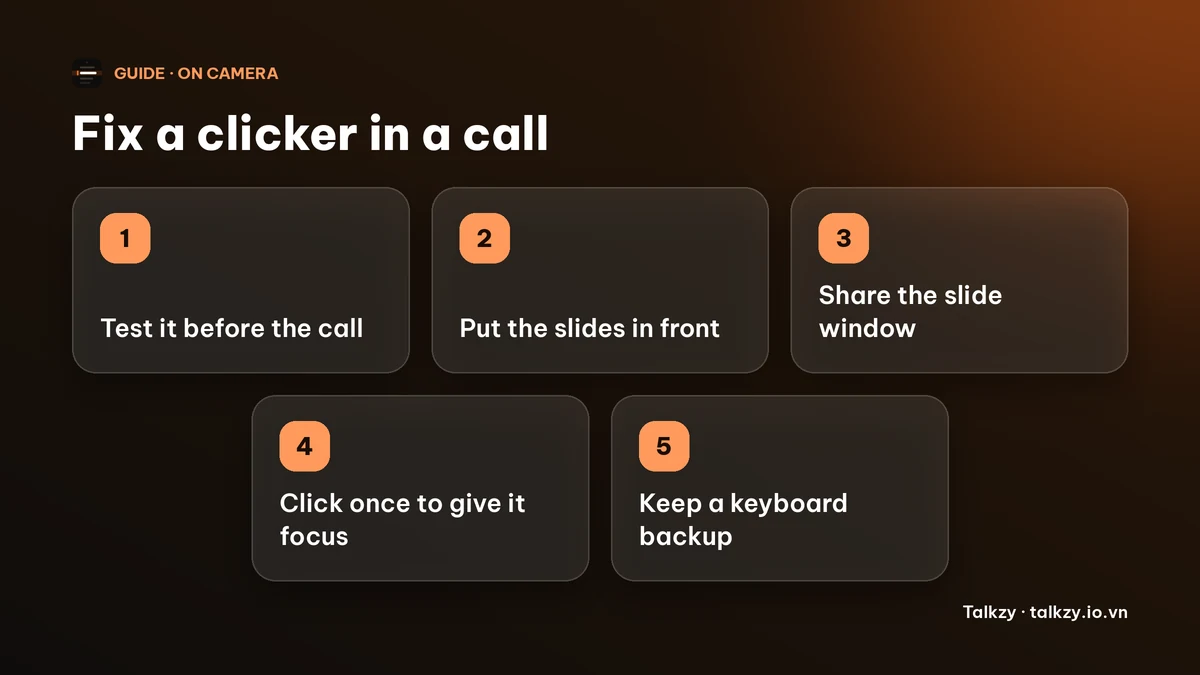
Step 1: test it before the call, not during
Open your slides, press the clicker and check that they move. Do it with the meeting running and a share started (in Zoom, you can start a meeting by yourself), because the problem often appears only once the share begins.
If nothing happens even outside a call, change the battery, re-plug the receiver or re-pair the Bluetooth connection first.
Step 2: put your slides in front and click once
Click inside the slide window so it has focus, then press the clicker. If you use a presenter view, make sure the window that should receive the keys is the active one.
Share the slide window rather than the whole display when your meeting app lets you. It keeps the call controls and your notes out of the picture too.
Step 3: keep a keyboard backup
Know the keys: the Right Arrow or Page Down goes forward and the Left Arrow or Page Up goes back in most slide apps. If the clicker dies mid-talk, click the slides and use the keyboard. Say nothing about it; keep going.
How to scroll a script with a clicker
Slides and a script both want the same two keys. Decide which one the clicker drives.
- Clicker moves the slides: keep your script on a timer or use keyboard shortcuts for the script.
- Clicker moves the script: advance the slides with the keyboard or have someone else do it.
Two hands, two jobs is the reliable setup. Do not expect one clicker to run both at once.
Where Talkzy helps
Talkzy for Mac is a script bar that hangs from the MacBook’s notch, or sits top-centre on a display without one, and stays above other windows without taking focus. It is on the Mac App Store for macOS 14 or later.
- Settings has a switch, “Capture clicker keys while prompting”. It is off by default. When on, Talkzy takes Page Up and Page Down from every app, but only while the script bar is showing, and moves the script one line back or forward.
- If you also click through slides with the same clicker, leave it off. Talkzy also has keyboard shortcuts that work in every app without an Accessibility permission; by default they are combinations of Control, Option and Command, for example Control-Option-Command-Down Arrow for one line forward and Control-Option-Command-P for play and pause. You can change them in Settings.
- A check in Settings shows what others would see before you share, and one shortcut hides the bar. It needs the Screen Recording permission, and some meeting apps and recorders may still show the bar, so run the check first.
The iPhone and iPad app is coming soon to the App Store.
Frequently asked questions
- Why does my presentation clicker not work when I share my screen on Zoom?
- Most often the keys go to the call window or another app instead of your slides. Click the slide window to give it focus, share that window and test the clicker with the share running.
- Does a presentation clicker need an app on a Mac?
- Usually not. Most clickers act as a keyboard and send Page Up and Page Down to the app in front. If a clicker does not work at all, check the battery, the receiver or the Bluetooth pairing.
- Can I use a clicker to scroll a script?
- Yes, if the script app receives the keys. In Talkzy for Mac you can turn on “Capture clicker keys while prompting”, which moves the script by one line while the script bar is showing.
- Can one clicker move both my slides and my script?
- Not at the same time, because both use the same keys. Let the clicker drive one and use a keyboard shortcut for the other.