How to use a teleprompter on Mac during Zoom or Google Meet calls
Published October 3, 2026 · 7 min read
To use a teleprompter on a Mac during a Zoom or Google Meet call, put your script in a narrow window right under the camera at the top centre of the screen, keep it on top of the call, and share a single window or browser tab instead of your entire screen so the script never shows up for others. If you'd rather keep it off the Mac, put an iPhone or iPad running a teleprompter right under your webcam. Talkzy for Mac does the first: it docks your script under the MacBook's notch, and it is on the Mac App Store.
Reading on a call is different from recording a video: you can't retake a sentence, people are watching your eyes live, and you may be sharing your screen at the same time. This guide covers the setup that keeps eye contact natural and your notes private, with the apps already on your Mac.
Where should the script go on a Mac?
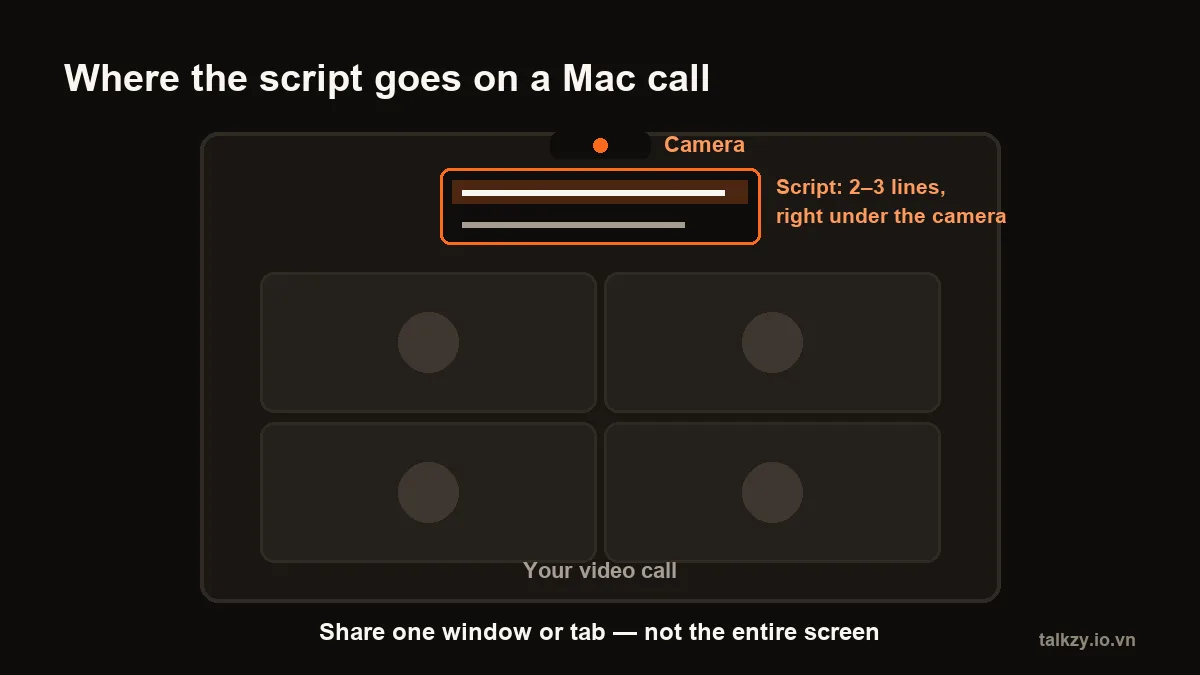
As close below the camera as you can. On a MacBook the camera is centred above the display — on recent MacBook Air and MacBook Pro models it sits in the notch at the top of the screen. On an iMac or a Studio Display it is centred at the top too, and most external webcams clip onto the top centre of the monitor.
- Keep the text in a narrow column, about a third of the screen wide, so your eyes barely move from side to side.
- Show two or three lines, not a full page. The line you are reading should sit just under the camera.
- Use large text and a dark background; a bright white page under the camera lights up your face and your glasses.
The further down the screen you read, the more you look like you're reading. A few centimetres under the lens reads as eye contact on the other end.
How do I set it up with the apps already on my Mac?
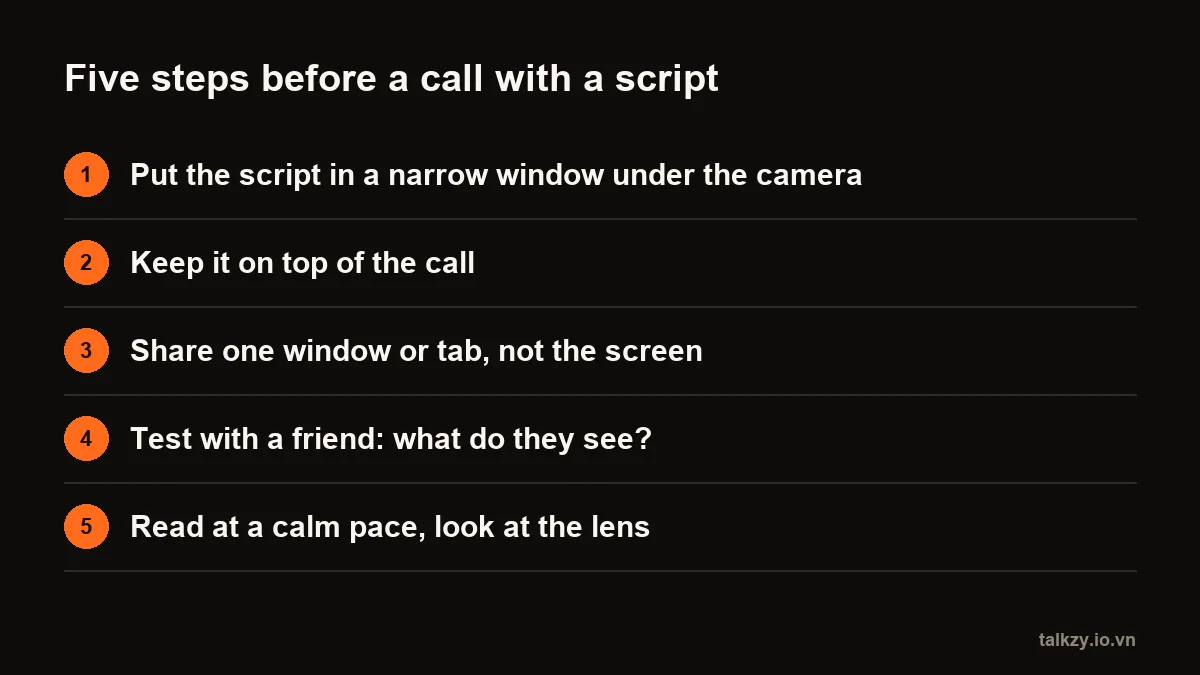
- 1Open Stickies, paste the part of your script you need — the opening, the key points, the close — and set a large font.
- 2Choose Window › Float on Top so the note stays above the call window.
- 3Drag the note to the top centre of the screen, right under the camera, and resize it to two or three lines.
- 4Join the call. Scroll the note by hand as you go, or split the script into short notes you can glance between.
- 5Before the real call, do a test with a friend or a second account and ask what they see.
Notes, TextEdit or Pages work the same way, but they don't float above other windows, so a full-screen call can cover them. The weak spot of any note window is scrolling: you have to do it yourself, while you talk.
How do I keep my script out of a shared screen?
This matters more than where the text sits. When you share your entire screen, everything on it is shared — including your script.
- In Zoom, choose Share Screen and pick the single window or app you want to show, not the whole screen.
- In Google Meet, the browser asks what to share: pick a tab or a window, not your entire screen.
- If you have to share the entire screen, move the script to a second display or a second device first.
- Some apps can ask macOS to leave their window out of screen captures. Whether it works depends on how each meeting app captures the screen, and it can change with an update — so treat it as a bonus and test it before you rely on it.
| Setup | Eye contact | Seen by others? | Scrolls by itself? |
|---|---|---|---|
| A floating note under the camera | Good if it sits right under the lens | Yes, if you share the entire screen | No, you scroll |
| An iPhone or iPad under the webcam | Good if the device is right under the lens | No, it's a separate device | Yes, with a teleprompter app |
| A notch teleprompter app on the Mac | Best: the text hangs from the camera | Depends on the meeting app; check first | Yes |
Can I use an iPhone or iPad as the teleprompter?
Yes, and it keeps the script completely off your shared screen. Put the phone or tablet on a small stand directly under your webcam or just below the MacBook's camera, as close to the lens as you can, and open the script there.
A teleprompter app makes this work better than a note: the text scrolls by itself, you can make it very large, and a Bluetooth page-turner or keyboard can move it without touching the screen. One limit: if your iPhone is being used as the Mac's webcam with Continuity Camera, it can't show your script at the same time — use the Mac's camera, or another device for the script.
How do I read without sounding scripted on a call?
- Script only what has to be exact: the opening, numbers and names, and the close. Speak the rest from bullet points.
- Write the way you talk — short sentences, contractions, one idea per line.
- Read at your normal pace, around 130–160 words a minute for most people, and pause at the end of each point so others can jump in.
- Look up at the people now and then, especially when someone else is talking. A call is a conversation, not a broadcast.
Our guide on reading a script without looking like it goes deeper into delivery.
Where Talkzy helps
Today Talkzy is a teleprompter for iPhone and iPad. For calls on a Mac, use it as the second device: paste your script, open prompter-only mode, and place the phone or iPad right under your webcam.
- The script scrolls in large type, by following your voice (recognition runs on the device), at a fixed speed, or with a remote.
- Start a line with # for each part of the call — intro, each update, the ask — and jump between them with a Bluetooth page-turner or keyboard.
- It's a separate device, so nothing about your script ends up in what you share.
Talkzy for Mac is a slim script bar that hangs from the MacBook's notch, stays on top of the call without taking focus, follows your voice (beta) and includes a check of what others would see before you share. It is on the Mac App Store, for macOS 14 or later.
Frequently asked questions
- Can people on a Zoom or Google Meet call see my teleprompter?
- Only if it is part of what you share. If you share your entire screen, every window on it is visible, including notes. Share a single window or browser tab instead, or keep the script on a second device. Some apps can ask macOS to hide a window from screen capture, but whether that works depends on the meeting app, so test it before a real call.
- Where should I put my script on a MacBook?
- Right under the camera, at the top centre of the screen: a narrow window two or three lines tall, with large text on a dark background. The closer the line you read is to the lens, the more it looks like eye contact.
- Is there a teleprompter app for Mac?
- Yes, several notch teleprompter apps exist for macOS, including Talkzy for Mac, which is on the Mac App Store for macOS 14 or later. You can also place an iPhone or iPad under your webcam as a teleprompter during a call.
- Will reading from a script make me sound robotic in a meeting?
- Less so if you script only the parts that must be exact, write in short spoken sentences and read at your normal pace. Speak the rest from bullet points and look up at the people when others are talking.