How to read a script on camera without looking like you’re reading
Published October 1, 2026 · 6 min read
There is a particular look people get when they read on camera: eyes sliding left to right, a flat voice, every sentence the same length and speed. Viewers can’t always say what is wrong, but they feel it, and they stop trusting what you say.
The good news is that it’s mostly mechanics, not talent. Where the words sit, how they are written, and a few habits while you speak make the difference. Here is what to change, roughly in order of how much it helps.
1. Shrink how far your eyes travel
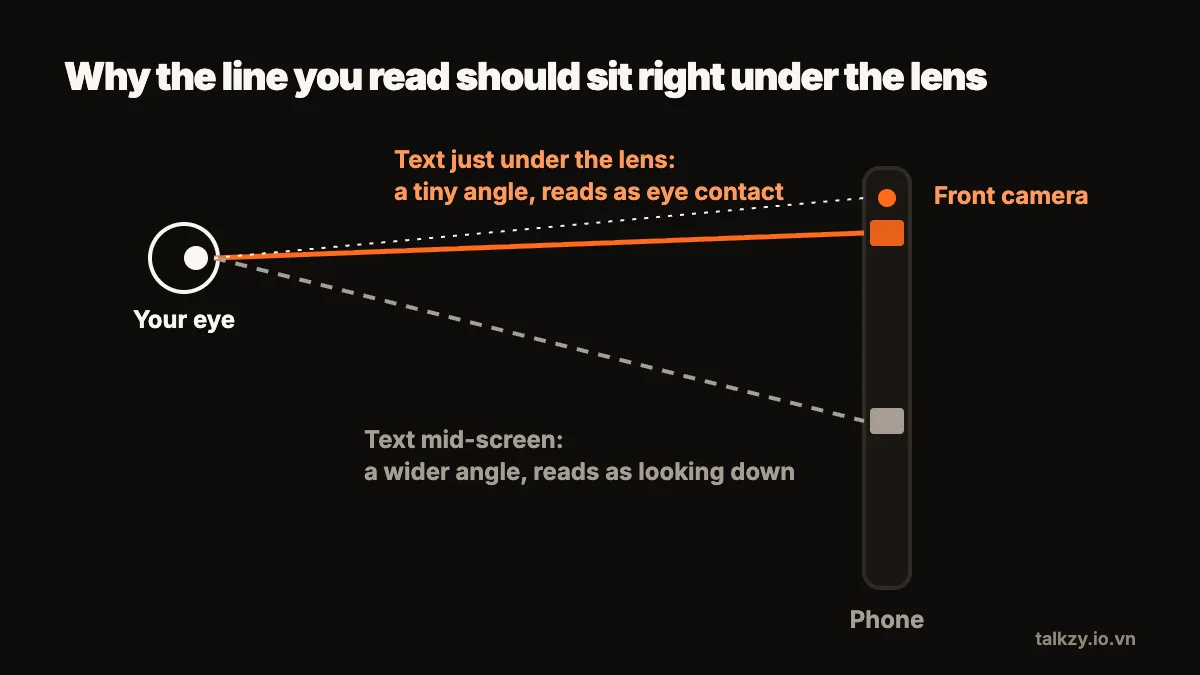
The tell-tale sign of reading is horizontal eye movement. Every line your eyes sweep across is visible to the viewer, so the goal is to make each sweep as short as possible.
- Use a narrow column of text — just a few words per line — placed directly under or around the lens.
- Read from the top of the text area, where the line is closest to the camera, instead of waiting for it to scroll down to the middle.
- Move the camera farther away and make the text larger to compensate. The farther the lens, the smaller your eye movements look.
2. Glance, then deliver
Instead of reading word by word, take in a short phrase with one glance, then lift your attention to the lens and say it. Then glance at the next phrase. Experienced presenters do this almost unconsciously: the eyes collect a chunk, the voice delivers it.
It feels slow at first, and that is fine. The tiny pause while you pick up the next phrase sounds like thinking, which is exactly what natural speech does. Rushing to keep the words flowing is what makes reading obvious.
3. Write the way you talk
Much of the stiffness people blame on their delivery is actually in the script. Written sentences are long, formal and full of clauses; spoken sentences are short and use the words you’d use with a friend.
- Use contractions: “it’s”, “you’ll”, “don’t”.
- One idea per sentence. If you need a breath in the middle, split it.
- Prefer words you can say without thinking. If you stumble on a word twice in rehearsal, replace it.
- Read the draft aloud and change anything that sounds like an essay.
A script you wrote in your own voice is far easier to read naturally than one that was written to be read silently.
4. Set the pace to your voice, not the other way round
A prompter that scrolls faster than you speak forces you to chase it, and chasing sounds like reading. Set it slower than you think you need — most people overestimate their speaking speed — and speed it up between takes if you find yourself waiting.
Better still is a prompter you control: a remote, a keyboard, or scrolling that follows your voice. Then you can pause for emphasis, add a sentence that wasn’t in the script, or take a breath, and the text doesn’t leave you behind.
5. Rehearse out loud, two or three times
Reading a script silently is not rehearsal. Say it out loud, at full voice, two or three times before you record. You are not trying to memorise it; you are trying to know where each sentence is going, so the prompter only has to remind you of the words.
During rehearsal, mark the one or two words in each sentence that carry the meaning. Emphasising those words — and only those — is what gives speech its shape. A flat voice is usually a voice that is giving every word the same weight.
6. Let your face and hands work
Readers freeze: shoulders up, hands still, face blank. Before you start, drop your shoulders, take a slow breath and smile slightly. Let yourself blink normally and use the small gestures you would use in conversation. If you’re seated, sit forward a little rather than leaning back.
It also helps to picture one specific person on the other side of the lens and talk to them. “Everyone watching” makes you sound like a broadcast; one person makes you sound like a conversation.
7. Record in short sections and keep the best
Long takes amplify every problem: you tire, your eyes start drifting, and one stumble at minute three means starting over. Break the script into sections of thirty seconds to a minute, record each a couple of times, and keep the best version of each. Your viewers see a confident, continuous video; you never had to be perfect for five minutes straight.
Watch each section back immediately. Mute the sound once and look only at your eyes: if you can see them scanning, narrow the column, move the camera back or slow the scroll before the next take.
Where Talkzy helps
Talkzy puts the script in a narrow column right under the front camera, with a reading line marking where you are, so your eyes stay near the lens. Its voice-follow mode listens to you on the device and keeps pace — pause for emphasis or ad-lib a line, and the text waits for you instead of running away.
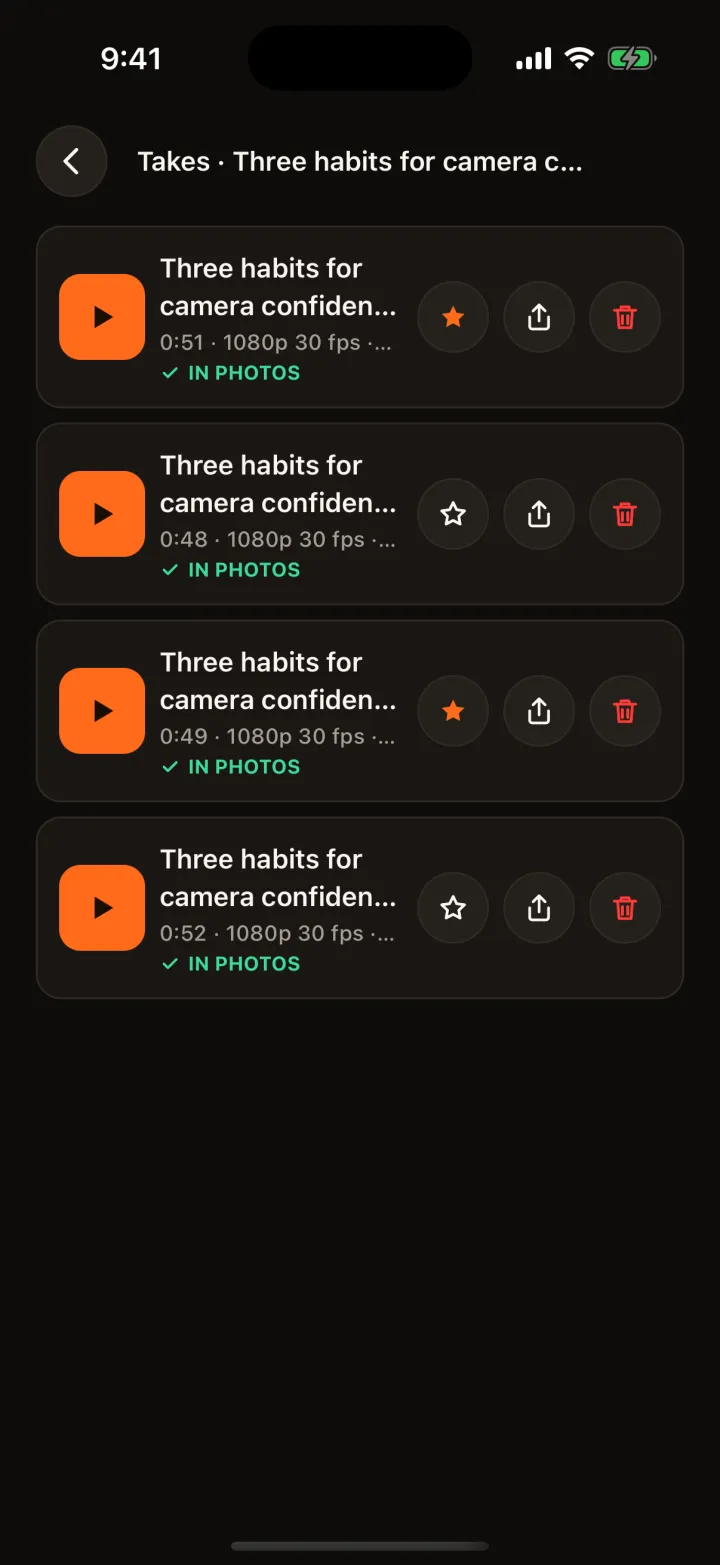
Every take is kept as its own clip, so recording in short sections and picking the best one doesn’t mean digging through one long file. You can also send a script as a link to someone who doesn’t have the app; they can read it in a web teleprompter in their browser.