How to write a video script for a teleprompter (and get the length right)
Published October 1, 2026 · 6 min read
A script that reads well on paper can be miserable to read from a teleprompter. Long sentences leave you out of breath, unusual words trip you up mid-take, and a paragraph that took a minute to write takes three minutes to say.
Writing for a prompter is writing for the ear and for a narrow, moving column of text. This guide covers how to structure the script, how to phrase it so it’s easy to say, how to format it for the screen, and how to work out how long it will run before you record.
Start with the one thing you want people to remember
Before writing a sentence, finish this line: “After watching, the viewer will know…” If you can’t finish it in one sentence, the video is probably two videos. A clear single point makes the script shorter and much easier to deliver, because every line either supports it or gets cut.
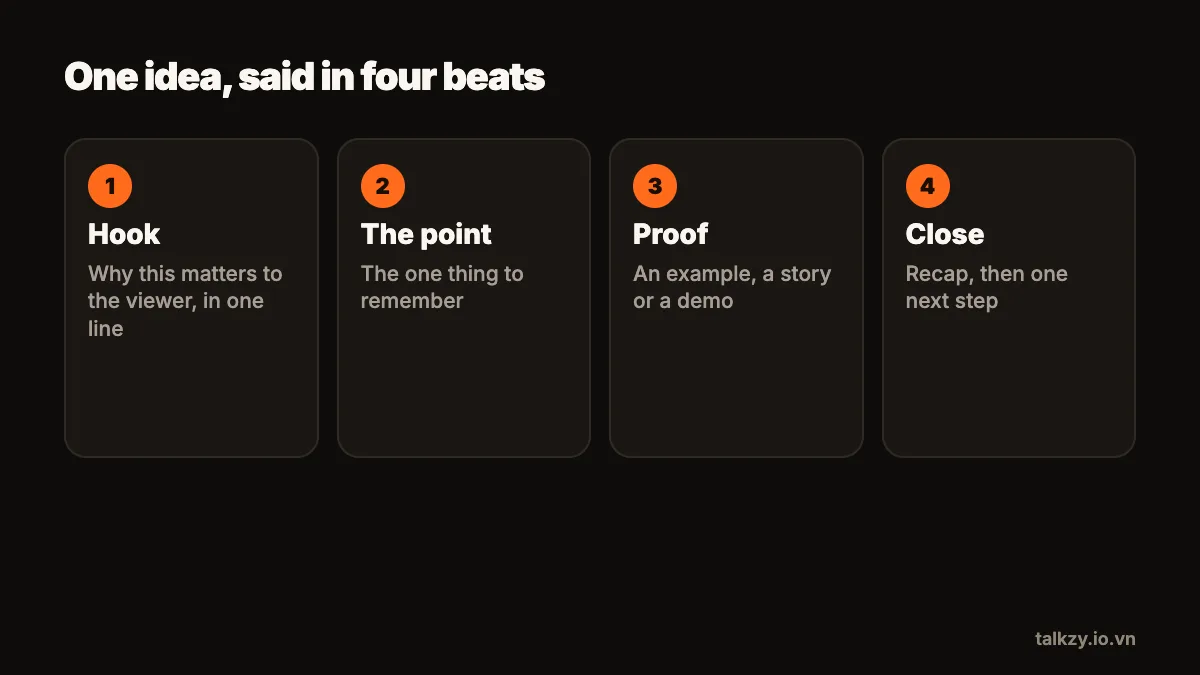
Then sketch a simple structure:
- Opening (one or two sentences): what this is about and why it matters to the viewer. Get to it quickly.
- Body (three points or fewer): each point gets its own short section.
- Close (one or two sentences): sum up the point and say what to do next, if anything.
Write for the ear
People hear a video once, at your speed; they can’t re-read a sentence. So the sentences have to be simpler than written prose.
- Keep most sentences short enough to say in one breath.
- Put the important word near the end of the sentence, where the voice naturally lands.
- Use the words you actually say. If you’d never say “utilise” out loud, write “use”.
- Repeat the key idea. In writing, repetition looks lazy; in speech, it helps people follow.
- Write numbers the way you say them: “about two thousand”, not “1,983”, unless the exact figure matters.
For names or terms you’re unsure how to pronounce, write them the way they sound, in brackets, right in the script. Nobody else sees the prompter.
Format the script for a narrow column
A prompter shows only a few words per line, so formatting that helps on a page can get in the way:
- Use plain text. Tables, bullet lists and columns don’t survive on a scrolling prompter.
- Start a new paragraph for every new thought. The gap is a natural cue to pause and look up.
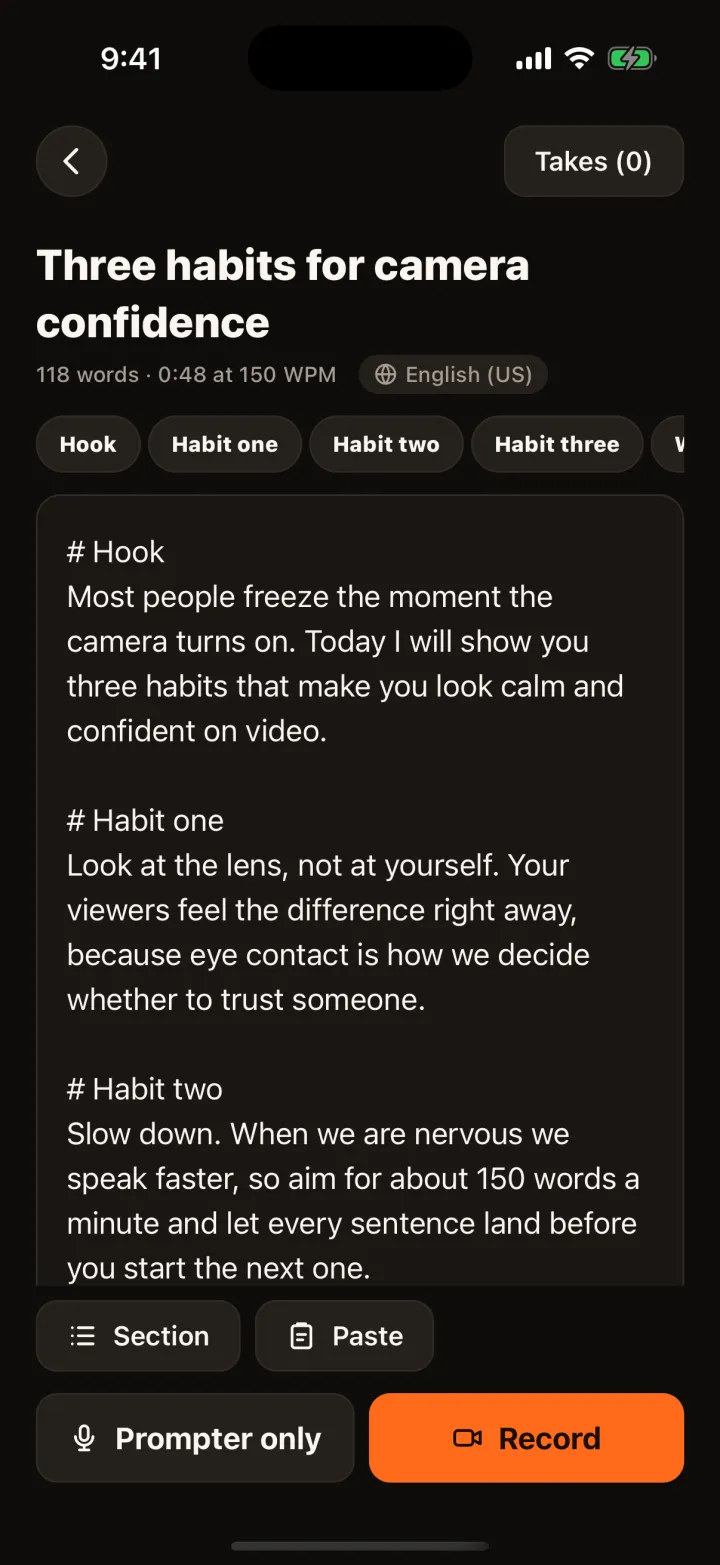
- Mark sections with a clear heading line, so you can find your place and re-record one part.
- Avoid long words joined by slashes or hyphens; they wrap badly in a narrow column.
- Leave stage directions out of the spoken lines. If you need them, put them on their own line in a way you won’t accidentally read aloud.
Estimate how long it will run
The running time of a script is simply its word count divided by your speaking speed. You only need one number to do the maths: your own speed.
- 1Take a paragraph of your script and set a timer for one minute.
- 2Read it aloud at the pace you will use on camera, not your fastest.
- 3Count the words you got through. That is your words per minute.
- 4Divide the script’s word count by that number to get its length in minutes.
For example, at 140 words per minute, a 60-second video is about 140 words, and a 420-word script runs about three minutes. Add a little time for pauses and emphasis. If the script is too long for the slot, cut whole sentences rather than squeezing everything in by talking faster.
Read it aloud and cut
The last edit always happens out loud. Read the full script at recording pace and mark every place you stumble, run out of breath or feel bored. Those are the lines to rewrite or delete.
A useful rule of thumb: if a sentence isn’t helping the one point you started with, it goes. Scripts almost always get better shorter, and shorter scripts are easier to deliver without looking at the screen.
A quick checklist before you record
- The opening says what the video is about within the first few seconds.
- No sentence needs two breaths.
- Hard names are spelled the way they sound.
- Each section has a heading line, so it can be retaken on its own.
- You’ve read it aloud at least once from start to finish and timed it.
Where Talkzy helps
In Talkzy you paste or type the script, or import a .txt, .md or .rtf file. A line that starts with # begins a section, which you can jump to while recording — handy for re-recording one part or for a livestream with one section per product. Talkzy estimates the read time at your chosen speed, so you can see whether a script fits before you hit record.
When you’re ready, the script runs in a narrow column right under the camera and can follow your voice, so the pauses you wrote in actually happen. Your speed, font, margins and mirror settings are remembered for each script.