How to stop dry mouth and mouth clicks when you present or record
Published November 6, 2026 · 5 min read
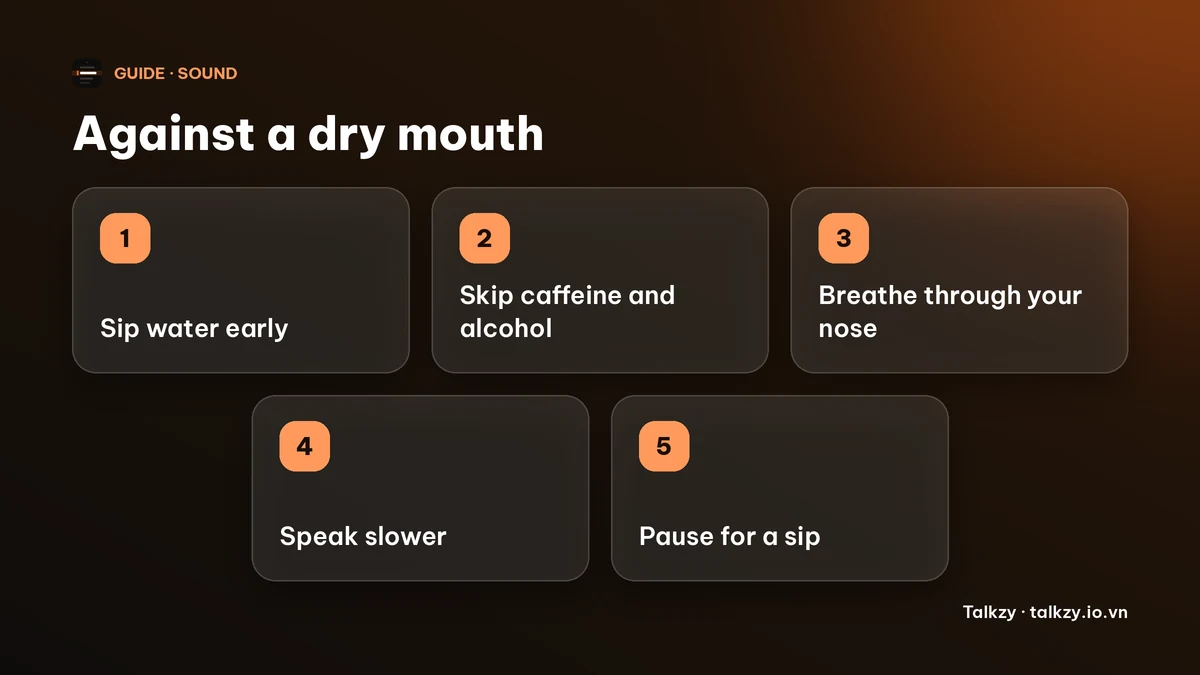
To stop dry mouth and mouth clicks when you present or record, sip room-temperature water in the 15 minutes before you start, keep a glass within reach, breathe through your nose between sentences, speak a little slower, and avoid caffeine, alcohol and mint-heavy sweets right beforehand. Nerves dry the mouth, and a sensitive microphone picks up every click.
This guide explains why it happens, what to do before and during a take, how to cover a drink so it does not ruin a recording, and how a script on screen helps you pause calmly. It is general speaking advice, not medical advice: if your mouth is dry all the time, not only when you are nervous, talk to a doctor or dentist.
Why does my mouth go dry when I present or record?
Nerves are the usual cause. Stress switches on the body’s alert response, and saliva production drops. Talking for a long time with your mouth open dries it further, and so do caffeine, alcohol and some cold or allergy medicines.
A dry mouth also makes sticky lips, a clicking tongue and small wet sounds more obvious, because a close microphone or headset picks up sounds a listener in the room would never hear.
What can I do before I start?
- 1Sip room-temperature water in the 15 minutes before you begin, not one big gulp at the last second.
- 2Go easy on coffee, alcohol and strong mints just beforehand. They can leave your mouth feeling drier.
- 3Wet your lips and gently move your tongue around your mouth. A few slow lip trills help too; the warm-up guide has a full routine.
- 4Breathe in through your nose and out slowly for a minute. Calmer nerves usually mean more saliva.
- 5Put a glass of water, with no fizz, just out of the shot, and a tissue if you need one.
| What you notice | Likely cause | What helps |
|---|---|---|
| Sticky lips, words stick | Dry mouth from nerves | Small sips beforehand, slow nose breathing |
| Clicks and wet sounds on the recording | Close microphone, dry tongue and lips | Sip water, move the mic a little off to the side, retake the line |
| Throat tickle or cough mid-take | Cold or very dry air, talking for long | Room-temperature water, pause, retake from the start of the sentence |
| Dry mouth every day, not only when speaking | Not just nerves | See a doctor or dentist |
What do I do when my mouth dries up in the middle?
Finish the sentence you are on rather than stopping halfway, then take your sip at the next natural pause. Breathe in through your nose and slow down for the next phrase, since fast talking keeps your mouth open longer.
On a live call, a drink of water is a perfectly normal reason to stop for a second. In a recording, simply pause, sip, and retake from the start of the sentence; you can cut the gap when you edit.
How do I stop mouth clicks on a recording?
- Sip water a few minutes before the take, not only a moment before.
- Move the microphone a little to the side of your mouth instead of directly in front of it, and keep it a hand or two away.
- Record a 20-second test and listen on headphones. If you hear clicks, sip, wait, and test again.
- If a click lands on one word, retake that sentence. Small clicks are often easier to avoid than to fix afterwards.
How can a script on screen help?
When you know where you are in the text, pausing for a sip is not scary, because you can find your place again at once. Talkzy for Mac is a slim script bar that hangs from the MacBook’s notch, or sits top-centre on a display without one, and stays on top of other windows. It is on the Mac App Store for macOS 14 or later.
- Manual mode lets you scroll yourself, so the text waits while you take a sip.
- Voice-follow moves the text with what Talkzy hears you say.
- Timed mode scrolls at a words-per-minute pace you choose, from 60 to 260. Set it slow, so you are not rushing with a dry mouth.
- Countdown: the text waits for a short countdown (0, 3, 5 or 10 seconds; the default is 3), so you can sip and breathe before the first line.
The overlay, timed and manual scrolling are free. Voice-follow is free for 3 sessions a day, and Pro removes the limit. The iPhone and iPad app is coming soon to the App Store. Talkzy does not stop your mouth drying out; water, breathing and calm do that.
Frequently asked questions
- Why does my mouth get so dry when I speak in front of a camera or people?
- Mostly nerves: stress reduces saliva. Talking for a long time, caffeine, alcohol and some medicines make it worse.
- What should I drink before I present or record?
- Room-temperature water, in small sips over the 15 minutes before. Very cold drinks, caffeine and alcohol can leave your mouth feeling drier.
- How do I stop lip smacking and mouth clicks in a recording?
- Sip water a few minutes ahead, keep the microphone a little off to the side and a hand or two away, record a short test, and retake a sentence if a click lands on it.
- When should I see a doctor?
- If your mouth is dry most of the time, not only when you are nervous, ask a doctor or dentist. This guide is general speaking advice, not medical advice.
- Does Talkzy help with dry mouth?
- No. Talkzy shows your script and scrolls it. Manual scrolling and a countdown give you room to pause for a sip and breathe, but the water and the calm are yours.