How to stop mumbling and speak more clearly on camera or when you present
Published November 5, 2026 · 6 min read
To stop mumbling, open your mouth a little more than feels natural, slow down, finish the end of each word and sentence, keep a microphone close, and play back a short test recording to hear what others hear. Mumbling is usually a habit of small mouth movements and rushing, and both can be changed with practice.
This guide explains why people mumble, a two-minute routine before you start, how to set up your mic and camera so you are easier to understand, and how a clear script on screen helps. It is general speaking advice, not medical advice: if people often cannot understand you despite practice, a speech-language therapist can help.
Why do I mumble when I present or record?
Mumbling is mostly small mouth movements. When your lips, tongue and jaw barely move, consonants blur together and the ends of words disappear. Rushing, nerves and speaking too quietly make it worse.
Cameras and calls make it more noticeable. A laptop microphone far from your mouth, audio compression on a video call and a listener with no view of your lips all hide unclear words. What sounds fine in the room can sound muddy on a recording.
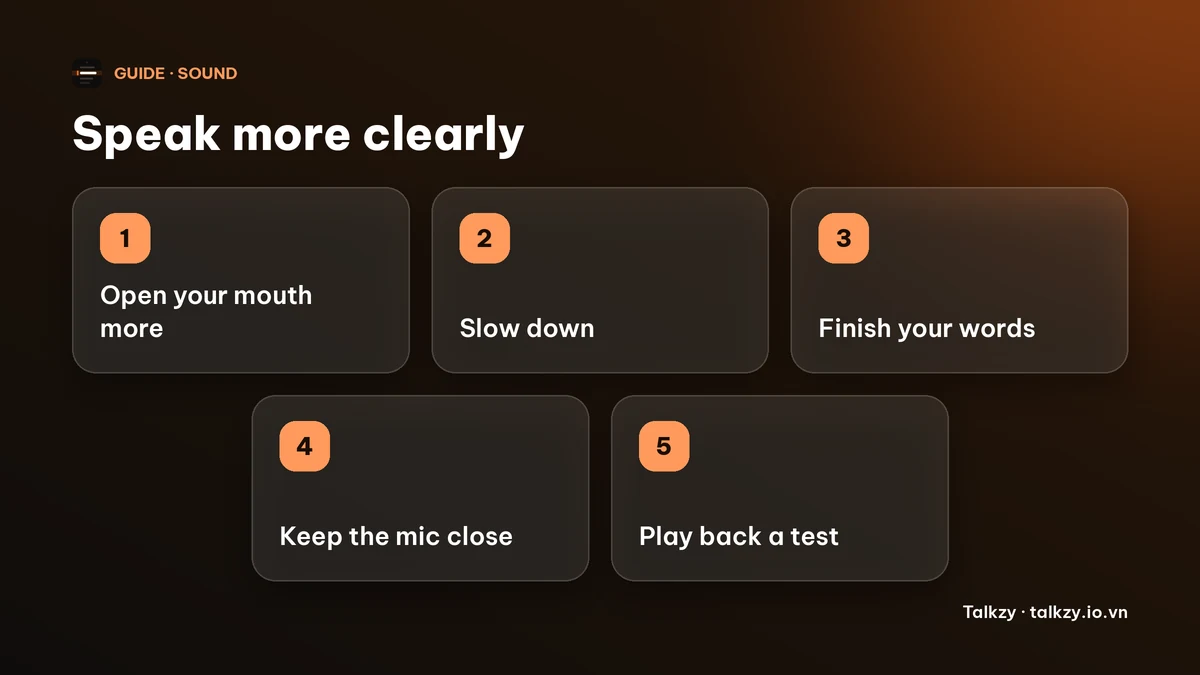
What can I do in the two minutes before I start?
- 1Loosen your jaw. Yawn, then gently move your jaw side to side and open and close your mouth a few times.
- 2Warm up your lips and tongue. Blow a lip trill, then say a tongue twister slowly and clearly three times. The warm-up guide has a full routine.
- 3Over-articulate once. Read one sentence with a wide, exaggerated mouth. In your real take, use about half of that.
- 4Set your pace. Decide to speak a little slower than feels natural. Clear speech and fast speech rarely go together.
- 5Sip room-temperature water so your mouth is not dry.
| What people hear | Likely cause | What helps |
|---|---|---|
| Words blur together | Rushing | Slow down, pause at punctuation |
| Endings of words vanish | Trailing off | Finish the last sound of each word, keep energy to the end of the sentence |
| Flat, muffled sound | Small mouth movements | Open your mouth a little more, loosen your jaw |
| Quiet and hard to follow | Mic far away or low volume | Move the mic closer and test the level |
How do I set up my mic and camera so I’m easier to understand?
- Keep the microphone close. A headset or a mic a hand’s width or two from your mouth is far clearer than the laptop microphone across the desk.
- Record a 20-second test and listen on headphones before the real take. This is the fastest way to hear what others hear.
- Look at the lens, not at your own picture, and keep your face lit so viewers can see your mouth.
- Speak at the volume you would use to talk to someone across a small room, not at a whisper.
How do I stop mumbling mid-sentence while I talk?
If you notice you are slurring, don’t speed up to escape it. Slow down for the next phrase, take a breath at the next full stop and finish that word fully. If you are recording, pause and retake from the start of the sentence.
Over time, record yourself speaking for a minute each day and listen back for words that blur. Pick two or three to practise slowly, then use them in a sentence.
How can a script on screen help me speak clearly?
When you are not searching for the next word, you can spend your attention on shaping each word. Large, easy-to-read text at a steady pace helps. Talkzy for Mac is a slim script bar that hangs from the MacBook’s notch, or sits top-centre on a display without one, and stays on top of other windows. It is on the Mac App Store for macOS 14 or later.
- Timed mode scrolls at a words-per-minute pace you choose, from 60 to 260. Set a slower pace than you think you need so you have time to finish each word.
- Countdown: the text waits for a short countdown (0, 3, 5 or 10 seconds; the default is 3), so you can breathe and set your mouth before you begin.
- Manual mode lets you scroll yourself, and voice-follow moves the text with what Talkzy hears you say.
The overlay, timed and manual scrolling are free. Voice-follow is free for 3 sessions a day, and Pro removes the limit. The iPhone and iPad app is coming soon to the App Store. Talkzy does not change how clearly you speak; your mouth, pace and microphone do that.
Frequently asked questions
- Why do I mumble when I speak on camera?
- Usually small mouth movements, rushing and a microphone that is too far away. Nerves also make people speak quieter and trail off at the ends of words.
- How can I speak more clearly right now?
- Open your mouth a little more than feels natural, slow down, finish the last sound of each word, and move the microphone closer. Record a short test and listen back.
- Can I fix mumbling with practice?
- For most people, yes. Daily short recordings, slower pace and jaw, lip and tongue warm-ups help. If people regularly cannot understand you, a speech-language therapist can assess it.
- Does Talkzy make my speech clearer?
- No. Talkzy shows your script and scrolls it at a pace you set. A slower pace and a countdown give you time to speak clearly, but the articulation is yours.