Why your teleprompter isn’t following your voice (and how to fix it)
Published October 12, 2026 · 6 min read
If your teleprompter doesn’t follow your voice, the cause is almost always one of five things: the app can’t hear you (permission or another app has the microphone), it is listening for the wrong language, the room is too noisy or the mic too far away, your script has the same phrase twice, or you have drifted a long way from the written words. Check them in that order and most problems disappear in a couple of minutes.
This guide explains how voice-following works in general, then goes through the three symptoms people search for: the text doesn’t move, it jumps ahead or around, and it lags behind you. It applies to any voice-following teleprompter; the notes about Talkzy are at the end.
How does a voice-following teleprompter work?
The app listens through the microphone, turns what it hears into text with speech recognition, and then works out where in your script you are. It scrolls to that spot. That is why it can wait when you pause and speed up when you do.
Speech recognition is never perfect. It mishears words, it names a word a moment after you said it, and it struggles with noise, accents and unusual names. A good teleprompter treats the recogniser’s output as a rough clue and matches it against the script it already knows, rather than trusting every word. Even so, it can only follow what it hears, so most fixes are about giving it a clean signal and a script that is easy to match.
What should I check first?
Run through this list before changing anything else.
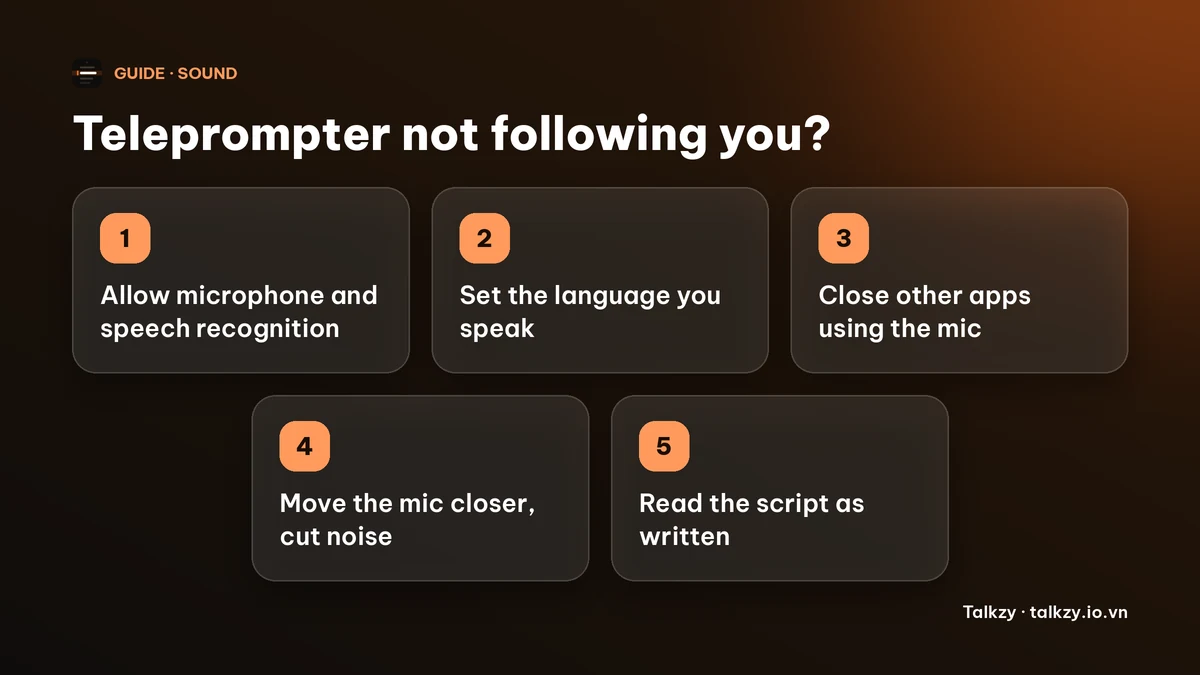
- 1Microphone and speech recognition permission. On iPhone and iPad, open Settings, find the app, and make sure both Microphone and Speech Recognition are on. If you denied either once, the app cannot ask again; you have to switch it on here.
- 2The language. Voice-following listens for one language at a time. If the script is in English but the app is set to listen for another language, nothing will match. Set the language to the one you actually speak, accent included (for example English (UK) rather than English (US)).
- 3Nothing else is using the mic. A call, a livestream app or another recorder can take the microphone away. Close them, or expect the prompter to fall back to a steady pace.
- 4Mic distance and noise. Keep the phone or mic within about an arm’s length, away from fans, traffic and music. A wired or clip-on mic is better than a Bluetooth headset, whose audio is lower quality.
- 5Say what is written. Read the script as it is, at a normal pace. Voice-following is built to forgive a skipped word or a short ad-lib, but a long detour gives it nothing to match.
Why doesn’t the text move at all?
If the script stands still while you speak, the app is not getting usable speech. In order of likelihood:
- Permission was denied (see above). Talkzy tells you when voice-following needs speech recognition and the microphone, and points you to Settings.
- The language is not available for on-device recognition on your device. Some languages are not supported on the device, or their speech model is not installed. A privacy-minded app will say so and offer a steady-pace mode instead of sending your audio to a server.
- Another app has the microphone, for example a call or a live stream in progress.
- The app’s free allowance ran out. Some apps limit voice-following on a free plan. In Talkzy the free version includes 3 voice-follow takes a day.
- You are too quiet, or the mic is covered by a case, a hand or a stand. Check the mic is not blocked and try speaking at the volume you will really use.
Why does it jump ahead or skip lines?
Jumping is nearly always a matching problem, and the script is where you can fix it.
- A phrase appears twice. If “here’s the thing” opens three paragraphs, the app can’t tell which one you are saying. Reword them so each opening is different, or add a distinctive word.
- Short, very common lines such as “yes”, “okay” or “and then” carry almost no information. Join them to the sentence next to them.
- Numbers, names and brand words are hard to hear but valuable to match. Write numbers the way you say them and avoid unusual spellings.
- Reading much faster than you speak normally gives the recogniser less time per word. Slow down, and see our guide on talking too fast.
Tools differ in how they guard against this. Talkzy only looks for your words in a small window around your current position, so a repeated phrase far away in the script should not pull it ahead, and it will not jump unless the match is clearly better than the alternatives.
| What you see | Likely cause | What to try |
|---|---|---|
| Doesn’t move at all | Permission, language, mic taken by another app | Check Settings, set the spoken language, close other apps |
| Jumps ahead | The same phrase twice, very short common lines | Reword repeats, merge short lines, slow down |
| Lags behind you | Recognition delay, noisy room | Read from a line near the top, move the mic closer |
| Stops when you ad-lib | Nothing in the script to match | Return to a written line; use a section jump or a tap |
| Scrolls in silence | Noise or music picked up as speech | Quieter room, closer mic, or switch to a steady pace |
Why does it lag behind me?
A small delay is normal. The recogniser needs a moment of audio before it can name a word, so any voice-following teleprompter is a fraction of a second behind what you said. Good ones hide it by moving a little ahead of your last matched word while you keep speaking, and by waiting when you stop.
To make a delay less visible, read from the line that is closest to the camera, keep a line or two of the upcoming text visible below it, and don’t chase the highlighted word; glance at the next phrase and say it. If the delay is long, noise is usually the reason, so move the mic closer or switch to a quieter spot.
What if I go off script or want to redo a line?
Real speech isn’t identical to your script. You will add a thought, skip a sentence or start a sentence again.
- Skipping or ad-libbing: carry on and return to the written words. A tolerant matcher locks back on as soon as you are on the script again.
- Starting a sentence over: just say it again. In Talkzy, repeating a line you have already read can move the text back to it without touching the screen.
- Pausing: a pause should make the text wait. In Talkzy it holds still after about a second of silence rather than drifting.
- Taking over by hand: tap the text to pause or resume it, or drag to move to the line you want.
For a long off-script moment, pause the prompter, answer, then pick up from the line you want.
When voice-following still doesn’t work for you
Sometimes the room or the language makes it unreliable. You still have two dependable options.
- A steady pace. Set the speed in words per minute to match how you speak and let the text scroll on its own. Use a pace you can keep; see our guide on how many words per minute to aim for.
- A remote. A Bluetooth page-turner or keyboard lets you move by line or by section exactly when you want, with no speech recognition at all. See our guide on teleprompter remotes.
Where Talkzy helps
Talkzy’s voice-follow runs speech recognition on the device, and it is labelled beta. It matches what it hears against your own script rather than transcribing you, and the prompter shows what it is doing: “Following your voice”, “Keeping your pace” when it can’t get a match but you are still speaking (for example in a noisy room), and “Waiting for you” when you pause.
- If permission is missing it says so; if voice-follow is not available for a language on your device it says that Timed mode still works.
- You choose the voice-follow language for each script.
- A free voice-follow allowance of 3 takes a day, with the number of takes left shown on screen. Timed scrolling, manual scrolling and remotes are free without limit.
The iPhone and iPad app is coming soon to the App Store.
Frequently asked questions
- Why is my teleprompter not scrolling when I talk?
- Most often the app can’t hear you: microphone or speech recognition permission is off, another app has the microphone, or the app is listening for a different language than the one you speak. Check those three first, then the mic distance and room noise.
- Why does my voice-following teleprompter jump ahead?
- Usually because your script repeats a phrase or has many very short, common lines, so the app can’t tell where you are. Reword repeated openings, merge short lines and slow down a little.
- Does voice-following need the internet?
- Not necessarily. Some apps send your audio to a server; others, like Talkzy, run speech recognition on the device. If you rely on offline use, check how your app does it.
- What can I use instead of voice-following?
- A steady scroll speed set to your own words per minute, or a Bluetooth remote or keyboard to move the text yourself. Both work without speech recognition.