Can you use AirPods as a microphone when you film a video on iPhone?
Published November 10, 2026 · 5 min read
Yes, you can use AirPods as the microphone when you film a video on an iPhone, but it depends on your iOS version, your AirPods model and your region. On iOS 26 with supported AirPods, the Camera app can record your voice through them. Older software, or an app that does not support it, falls back to ordinary Bluetooth audio, which sounds thin.
This guide covers how to switch the mic in the Camera app, how to check what you are actually recording, why a Bluetooth mic can sound worse than the phone’s own, and what to do when you read a script on camera.
Does it work, and on which AirPods?
Apple added AirPods as a camera microphone and camera remote in iOS 26. Apple’s support page lists which AirPods models work, and it says the feature is not available in every country or region. Those details change, so check Apple’s page for your model instead of trusting a list in a blog post.
Without that support, AirPods used as a mic go through the ordinary Bluetooth call profile, which records narrow-band audio. It is fine for a phone call and noticeably dull for a video.
How do I switch the mic to my AirPods in the Camera app?
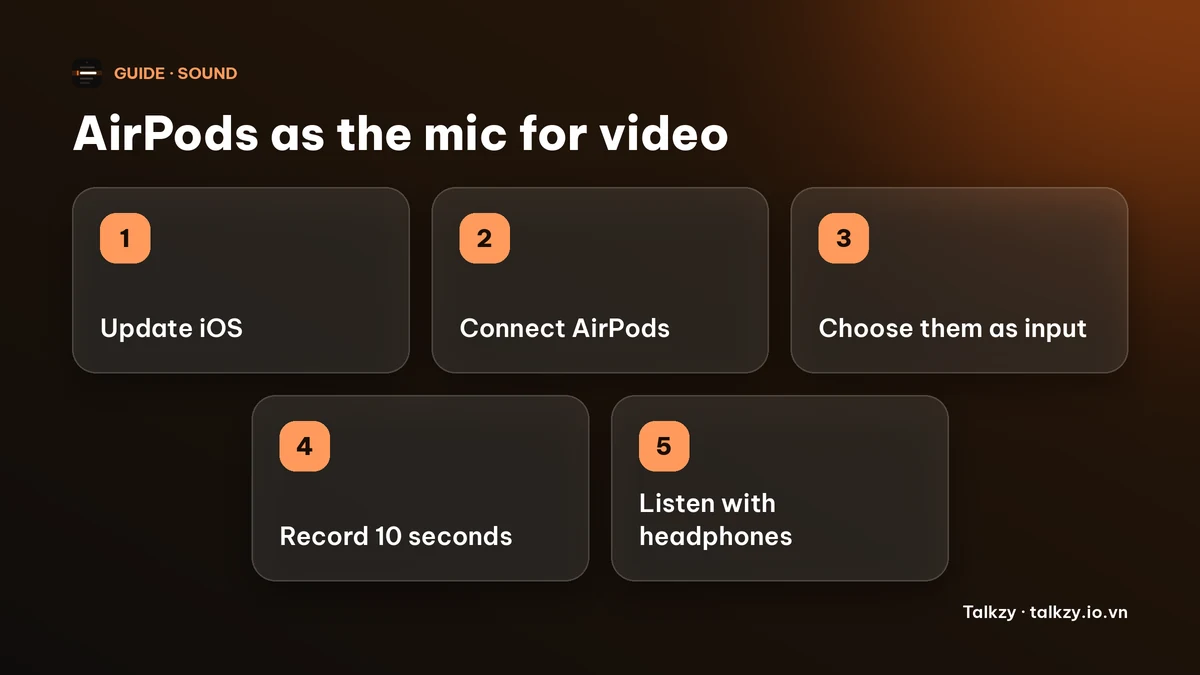
The menu names depend on your iOS version, but on iOS 26 the steps are:
- 1Put the AirPods in your ears and connect them to the iPhone.
- 2Open the Camera app and switch to Video.
- 3Open Control Center, tap the camera controls, and look for the audio input under the audio and video options.
- 4Choose your AirPods instead of the iPhone’s own microphone. The same menu offers microphone modes such as Automatic, Standard and Voice Isolation, depending on the model.
If you do not see the AirPods as an option, update iOS, check that your AirPods are supported and that the feature is available where you live.
Check what you are recording, not what you hope you are recording
Record ten seconds, then play it back with headphones on. Listen for three things: a thin, muffled or “phone call” sound, which means the video is using the narrow-band Bluetooth mic; your voice dropping out when you turn your head; and wind or rustle noise at your ear.
If it sounds worse than the iPhone’s own microphone, switch back. The built-in mic, held about an arm’s length away in a quiet room, often beats a Bluetooth mic, and a wired or USB-C lavalier clipped to your chest beats both.
When AirPods are a good choice, and when they are not
AirPods help when you are away from the phone: a phone on a tripod several metres back, a walking video, or a noisy room where the phone’s mic is too far from your mouth. The mic sits close to your mouth, so your voice stays louder than the room.
They are a worse choice when you want every take to sound identical, when the earbuds might fall out or be seen on camera, or when you will keep turning your head. A reviewer or a viewer will also notice an earbud in your ear on a talking-head video.
Reading a script while you record with AirPods
Reading changes your voice more than the mic does. People read more quietly and more flatly, so speak as if to someone across a table. Put the script close to the lens so your head stays level; looking down at notes aims your voice at the floor. Do one test take with the whole setup, script included, before the real one.
Keep the setup the same for every take of a video. Switching between the AirPods and the built-in mic halfway through makes the sections sound different when you join them.
Using AirPods with Talkzy
In Talkzy for iPhone and iPad, the microphone row in the camera settings lists the inputs your phone offers, marked as built-in, wired, Bluetooth or USB-C, and remembers your choice per device. Built-in and wired mics are free. Choosing a Bluetooth or USB-C mic is part of Talkzy Pro. The app itself notes that Bluetooth headsets record in narrow-band 16 kHz and that a wired or USB-C mic sounds much better.
We have not verified whether Talkzy gets the iOS 26 higher-quality AirPods recording that the Camera app can use, so record a test take and listen before you rely on it. Talkzy for iPhone and iPad is on the App Store.
Frequently asked questions
- Can I use AirPods as a microphone when recording a video on iPhone?
- Yes, on iOS 26 with supported AirPods in the Camera app, in countries where the feature is available. Otherwise AirPods record narrow-band Bluetooth audio, which sounds thin for a video.
- Why do my AirPods sound muffled in my video?
- The video is probably using the ordinary Bluetooth call mic, which records narrow-band audio. Update iOS, check that your AirPods model is supported, or switch to the iPhone’s own mic or a wired mic.
- Are AirPods better than the iPhone’s built-in microphone?
- Sometimes, when the phone is far from you. In a quiet room with the phone about an arm’s length away, the built-in mic is often as good or better. Record ten seconds and listen with headphones.
- Can I pick a Bluetooth microphone in Talkzy for free?
- No. Choosing a Bluetooth or USB-C microphone is part of Talkzy Pro; the built-in and wired mics are free.