Why does my voice sound different in recordings? (and how to get used to it)
Published November 11, 2026 · 5 min read
Your voice sounds different in a recording because you normally hear it two ways at once: through the air, like everyone else, and through the bones of your head. A microphone only picks up the air route. What you hear on a recording is close to what other people hear, and it is the version you have never heard much of.
This guide explains what is going on, what you can really change, and how to get used to your recorded voice, which matters if you read a script on camera and want to sound like yourself.
Why does my recorded voice sound higher and thinner?
When you speak, sound reaches your ears through the air and also as vibrations through your skull. The bone route carries low frequencies well, so inside your head your voice sounds deeper and fuller. A microphone has no skull. It records only the air route, so the low, warm part you are used to is missing and the voice sounds higher and thinner to you.
Other people only ever hear the air route, so the recording is closer to how you sound to them than the voice in your head is. Most people dislike the first recordings they hear of themselves; it is very common and not a sign that something is wrong with your voice.
What is the microphone’s fault, and what is not?
Most of the difference is the missing bone route, and no microphone can fix it. But the microphone and the room do change the sound, and those you can improve:
- A phone mic far from your mouth records the room as much as you, so the voice sounds distant and hollow.
- A Bluetooth headset mic records narrow-band audio and sounds thin even to other people.
- Bare walls add echo, and a fan or traffic adds noise that you stopped noticing.
If your recording sounds worse than a friend’s voice message of the same quality, suspect the setup. If it just sounds “not like me”, that is the bone route.
How do I get used to hearing my own recorded voice?
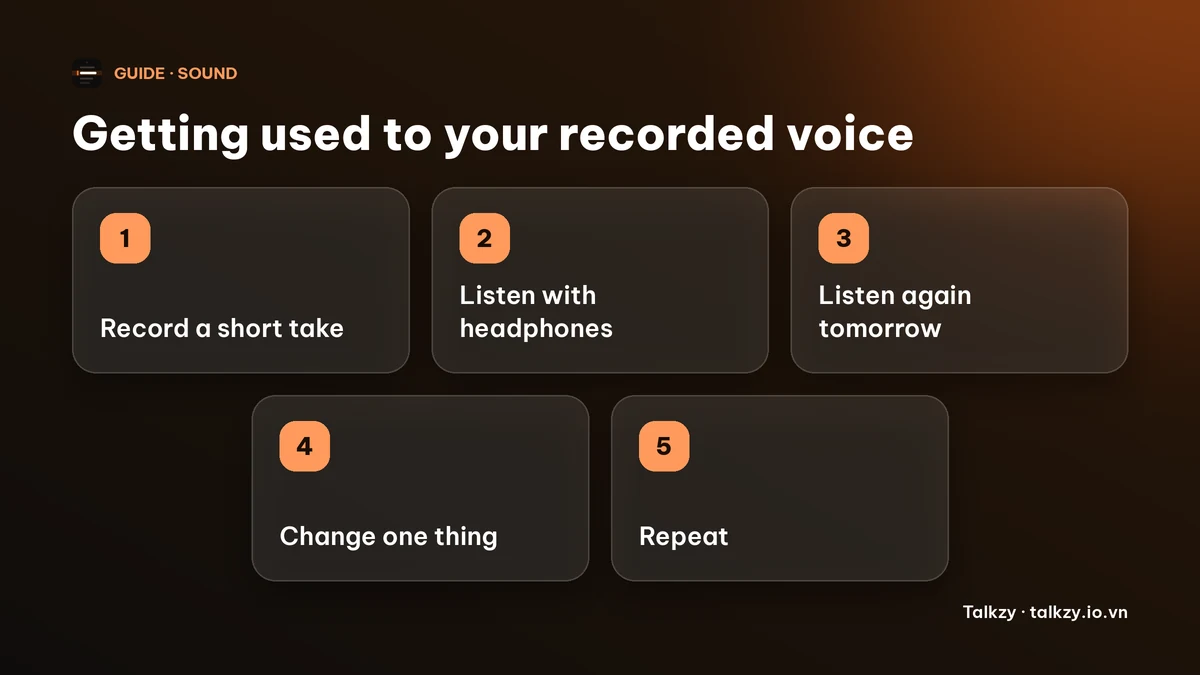
Mostly by hearing it more often. A voice that is unfamiliar sounds wrong; a familiar one stops sounding odd. There is no fixed number of days, so do not trust a blog that promises one, but listening to short recordings regularly makes the reaction fade for most people.
- 1Record a short take, a minute or less, reading the first part of your script.
- 2Play it back with headphones, not the phone’s speaker. The speaker thins the voice further.
- 3Listen once only for the sound of the voice, then once for the words. Do not judge both at the same time.
- 4Listen again the next day. The second listen is usually kinder than the first.
- 5Change one thing at a time, such as the mic distance or your pace, and compare.
What can I really change?
You cannot add your skull to the recording, but you can change what is in your control. Move the mic closer to about an arm’s length or to a clip-on mic near your chest. Soften the room with curtains or a sofa. Warm up your voice before you record, because a cold voice sounds thinner and more strained. Slow down a little and keep the pitch where you would talk to a friend, not higher because you feel on show.
Reading a script also makes many people sound flatter than they do in conversation. If the recording sounds stiff rather than just unfamiliar, that is a reading habit, and it can be changed.
Reading a script: sound like yourself, not like a recording
Speak the script to one person, not to the lens. Say a sentence out loud, in your own words, then compare it with the written one and edit the script until it matches how you actually talk. A script written for the page sounds stiff in your mouth, and that stiffness is part of why recordings feel foreign.
Do one full test take, with the script, the mic and the room you will really use, and listen to it before the real recording. Fix what is wrong in the setup, then record.
Using Talkzy for practice takes
In Talkzy for iPhone and iPad, every take is saved as its own clip, so you can record a short practice take and play it back before you do the real ones. If you turn on saving to Photos, the take is also in your camera roll. Talkzy for iPhone and iPad is on the App Store, and Talkzy for Mac is on the Mac App Store.
Talkzy will not change how your voice sounds. It helps with reading: the script sits under the lens, so you can keep your head up and speak more like you do in conversation. Everything else in this guide works with any camera app and any teleprompter.
Frequently asked questions
- Why does my voice sound different on recordings?
- Because you hear your own voice through the air and through the bones of your head, while a microphone hears only the air. The recording lacks the low, full sound you are used to, and is closer to what other people hear.
- Is the recording what I really sound like to other people?
- Mostly, yes. Other people hear your voice through the air, as a microphone does. The recording also depends on the mic, the distance and the room, so a poor setup can make it sound worse than you really do.
- Will I get used to my recorded voice?
- For most people, yes. Hearing short recordings regularly, with headphones, makes the voice feel less strange. How long it takes differs from person to person.
- How do I make my voice sound better on a recording?
- Get the mic closer, record in a softer room, warm up first, and speak at your natural pitch and pace. Record a ten-second test and listen with headphones before the real take.