Why did my iPhone video stop recording when I got a call or a notification? (and how to prevent it)
Published November 14, 2026 · 4 min read
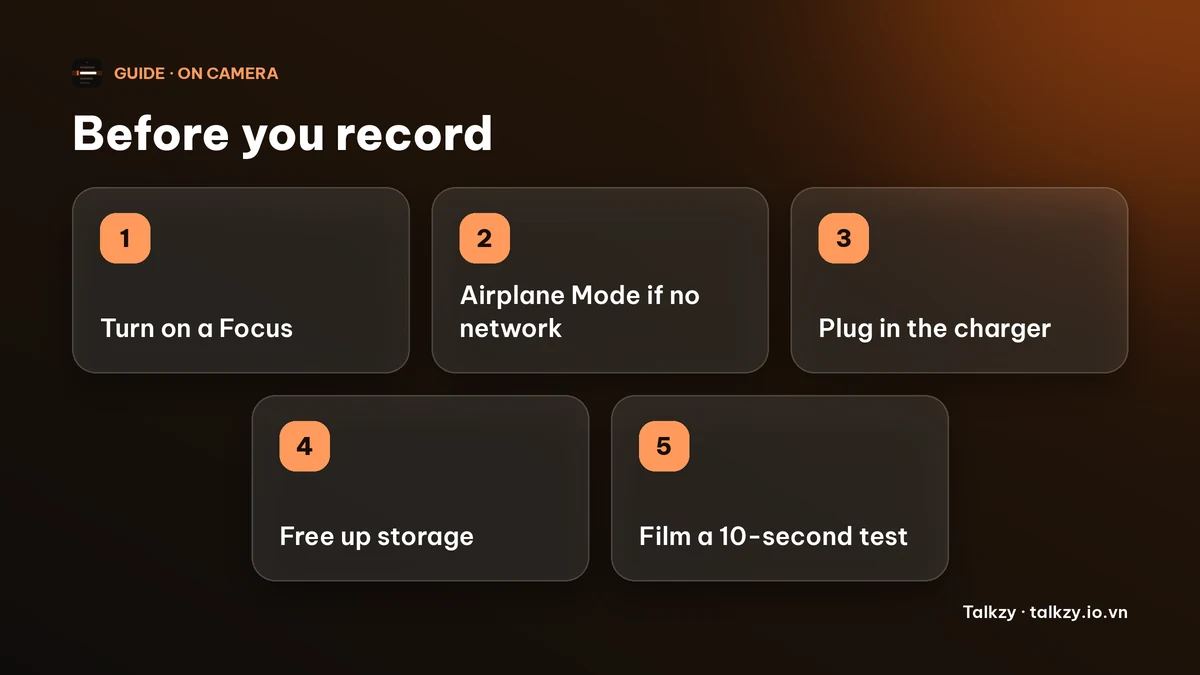
An incoming call can take over the screen and end or pause a video you are filming, and notifications, low storage and a hot or low battery can also get in the way. The reliable fix is to prepare the phone before you press record: turn on a Focus, or Airplane Mode if you do not need the network, plug in, and free some space.
This guide lists what can interrupt a take, a short checklist to run before every recording, and what to do if a take is already cut short. Menu names are from current versions of iOS and can differ slightly on older ones.
What can interrupt an iPhone video while I film?
- A phone call or FaceTime call. An incoming call can take over the screen, and people often report that it stops the recording. Do Not Disturb hides banners but may not stop every call, depending on who is allowed through.
- Notification banners. They do not always end a recording, but they can cover your text or show up in a screen recording.
- Storage that is nearly full. The video stops when there is no room left to write it.
- Battery and heat. A phone that is very low on charge or too hot can shut the camera down or switch off.
- Leaving the camera app by accident, for example with a swipe or a tap on a banner.
How do I stop calls and notifications from interrupting a video?
- 1Open Control Centre, tap Focus and choose Do Not Disturb (or a Focus you made for recording). Banners and previews are held back while it is on.
- 2If you do not need the network for the take, also turn on Airplane Mode. That is the most reliable way to keep calls and messages from reaching the phone at all. Remember that the phone will not receive anything until you turn it off again.
- 3For a Focus, check which people and apps it still allows. Some Focus settings let selected contacts and repeated calls through.
- 4Turn the Focus or Airplane Mode off after the recording so you do not miss a call later.
What should I check before I press record?
- Battery: plug in for anything long. The camera and a bright screen use a lot of power.
- Storage: check Settings › General › iPhone Storage. Video takes a lot of room, and the recording stops when the phone is full.
- Heat: take the phone out of a case or a hot car if it feels warm. A hot phone may dim the screen or stop the camera.
- Screen lock: set Auto-Lock to a longer time or Never for the session, or use an app that keeps the screen on.
- A short test: film ten seconds, play it back with sound, and only then start the real take.
What if the recording already stopped?
Open the Photos app first: the part you filmed is often saved, and only the rest is missing. Do not restart the phone before you have checked. Then record the rest as a new clip and join the two in an editor, or redo the take from the start of the sentence where it stopped.
To lose less when something goes wrong, record in short sections instead of one long take, so one interruption costs a minute and not the whole video.
Does Talkzy help if a take is cut short?
Talkzy writes a take to a file in small pieces, about every two seconds, while it records. If Talkzy is closed, crashes or the battery dies in the middle of a take, the next time you open it, the app finds the file again, adds it to the script’s takes and marks it Recovered. At most the last couple of seconds are lost. This is about the app being closed or killed; it does not stop a call from interrupting the camera, so the checklist above still applies. Talkzy for iPhone and iPad is on the App Store, and its prompter-only mode is free.
Frequently asked questions
- Why did my iPhone video stop when I got a call?
- An incoming call can take over the screen and cut the recording. To prevent it, turn on Airplane Mode (or a Focus that blocks calls) before you film.
- Does Do Not Disturb stop calls from interrupting a recording?
- It holds back banners and quiets most calls, but depending on your settings some contacts or repeated calls can still come through. Airplane Mode is the more reliable choice if you do not need the network.
- Is a video saved if the recording is interrupted?
- Often the part you filmed is saved. Check the Photos app before restarting the phone, then record the rest as a new clip.
- Does Talkzy recover a take if the app closes in the middle?
- Yes. A take is written in small pieces while it records; after a crash, a forced close or a dead battery the next launch adds it back to the script marked Recovered, with at most the last couple of seconds lost.
- Do I need to turn Airplane Mode off afterwards?
- Yes. Turn it off, or end the Focus, once you stop filming, or you will not receive calls and messages.