Why does my iPhone screen keep turning off while I read a script? (and how to stop it)
Published November 13, 2026 · 4 min read
Your iPhone locks because of Auto-Lock, a timer that dims the screen and then locks it when you have not touched it for a while. When you read from the screen without touching it, the phone thinks you have left. The fix is to set Auto-Lock to a longer time or to Never for the session, or to read from an app that keeps the screen on while your text is open.
This guide covers where the setting is, why it is sometimes greyed out, what else can dim the screen and how to test the setup before you need it. The menu names are the ones on current versions of iOS; they can differ slightly on older ones.
Why does my iPhone screen turn off while I am reading?
iOS counts the time since your last touch. When it reaches the Auto-Lock time, the screen first dims and then locks. Reading a script is exactly the case it cannot see: your eyes are busy, your finger is not. A short setting such as 30 seconds is enough to lock the screen in the middle of a sentence.
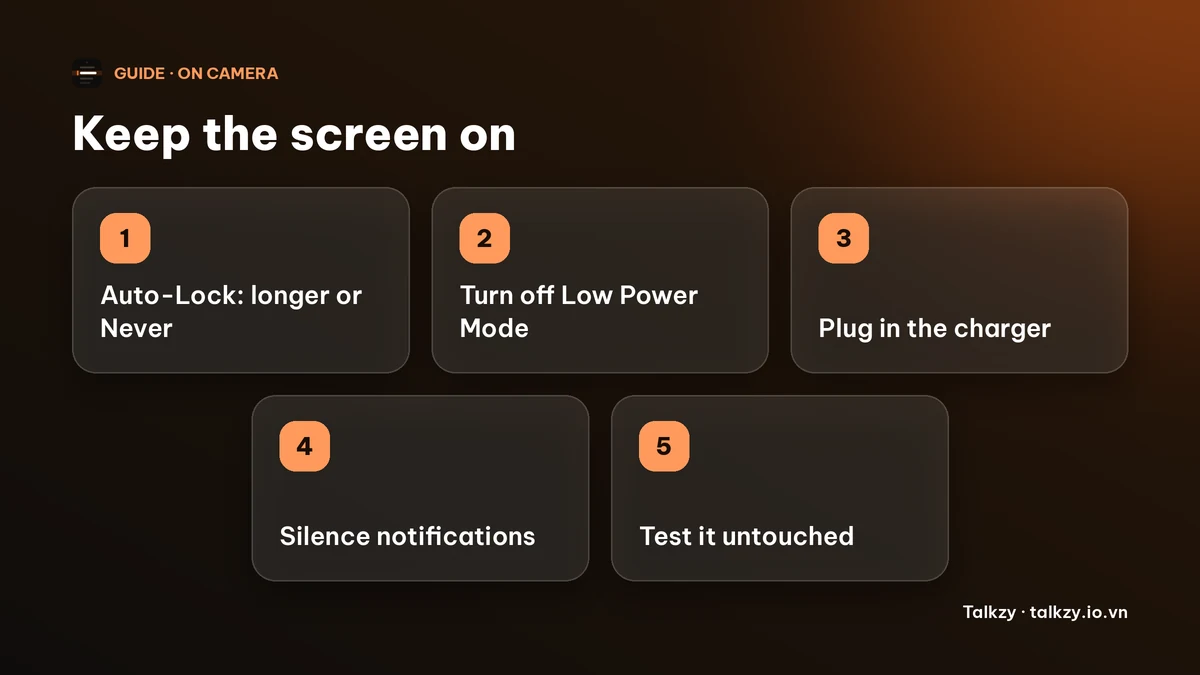
How do I stop the iPhone screen from turning off?
- 1Open Settings › Display & Brightness › Auto-Lock.
- 2Pick a longer time. The options run from 30 seconds up to 5 minutes, and there is also Never.
- 3For a talk, a take or a call, choose Never, then change it back afterwards. Leaving it on Never all the time drains the battery faster and leaves the phone unlocked in your pocket longer.
On an iPad the same setting is in Settings › Display & Brightness › Auto-Lock.
Why is Auto-Lock greyed out or stuck on 30 seconds?
The usual cause is Low Power Mode, which forces a short Auto-Lock time and greys out the setting. Turn Low Power Mode off in Settings › Battery (or from Control Centre), and the options come back. If the phone is managed by a school or employer, a profile can also lock the setting, and only they can change it.
What else can dim or interrupt the screen while I read?
- Attention Aware Features on a Face ID iPhone can dim the screen when it does not detect your face looking at it. If it dims while you read from a distance, you can switch it off in Settings › Face ID & Passcode › Attention Aware Features.
- Notifications that light up the screen and banners that cover your text. Turn on Do Not Disturb or a Focus before you start.
- A low battery. Plug in for anything longer than a few minutes, since a bright screen kept awake is one of the heaviest things an iPhone does.
- A phone that warms up when it films and shows text at once may dim the screen to cool down.
How do I test it before the real thing?
Put your text on the screen, set the phone where you will use it and leave it untouched for as long as the talk or take will last, plus a minute. If the screen is still on and not dimmed, you are set. It takes a few minutes and is much easier than finding out mid-sentence. For a speech, also keep a printed copy as a backup.
Can an app keep the screen on for me?
Yes. Apps can ask iOS not to lock the screen while they are in front. Talkzy’s iPhone and iPad app does this whenever the prompter is open, in camera mode and in prompter-only mode, and releases it when you leave the prompter, so you do not need to change Auto-Lock for it. The phone still goes by your normal Auto-Lock once you close the prompter. Low battery and Do Not Disturb are still yours to handle. Talkzy for iPhone and iPad is on the App Store, and its prompter-only mode is free.
Frequently asked questions
- How do I stop my iPhone screen from turning off?
- Go to Settings › Display & Brightness › Auto-Lock and choose a longer time or Never. Change it back after your talk or recording.
- Why is Auto-Lock greyed out on my iPhone?
- Most often Low Power Mode is on. Turn it off in Settings › Battery and the options return. A work or school profile can also lock the setting.
- Does the screen stay on while I film with Talkzy?
- Yes, on iPhone and iPad: Talkzy keeps the screen awake while its prompter is open, in camera mode and in prompter-only mode, and stops doing so when you leave the prompter.
- Should I leave Auto-Lock on Never all the time?
- It is better not to. It uses more battery and leaves the phone unlocked longer. Set it for the session and then switch it back.
- Why does the screen dim even when Auto-Lock is long?
- Attention Aware Features, Low Power Mode, a low battery or the phone getting warm can all dim it. Check each one before you start.