How to make a self-introduction video for a job or school application (with a sample script)
Published October 1, 2026 · 6 min read
A good self-introduction video is 45 to 60 seconds long and answers three questions in order: who you are, what you have done that matters for this role or school, and why you want it. Write it as a short script of about 120–150 words, film it at eye level with light on your face, and read it from a column right under the lens so you keep eye contact.
This guide gives you a structure with timings, a sample script you can adapt, the setup that makes a phone video look careful rather than casual, and the mistakes reviewers notice first.
What does a recruiter or admissions reader want from the video?
Your CV or application already lists the facts. The video is there to show what paper cannot: how you speak, whether you can explain something clearly, and whether you seem like someone people would enjoy working or studying with. A reader often watches many of these in a row, so a clear, short video that respects their time already stands out.
That means the goal is not to repeat your CV aloud. Pick one or two achievements and tell them in a sentence each, with a concrete detail. “I led a team of four to rebuild our club’s website” says more than a list of skills.
Always follow the instructions you were given first. If the employer or school asks for a specific length, language or set of questions, that overrides every template, including the one below.
How should a 60-second self-introduction be structured?
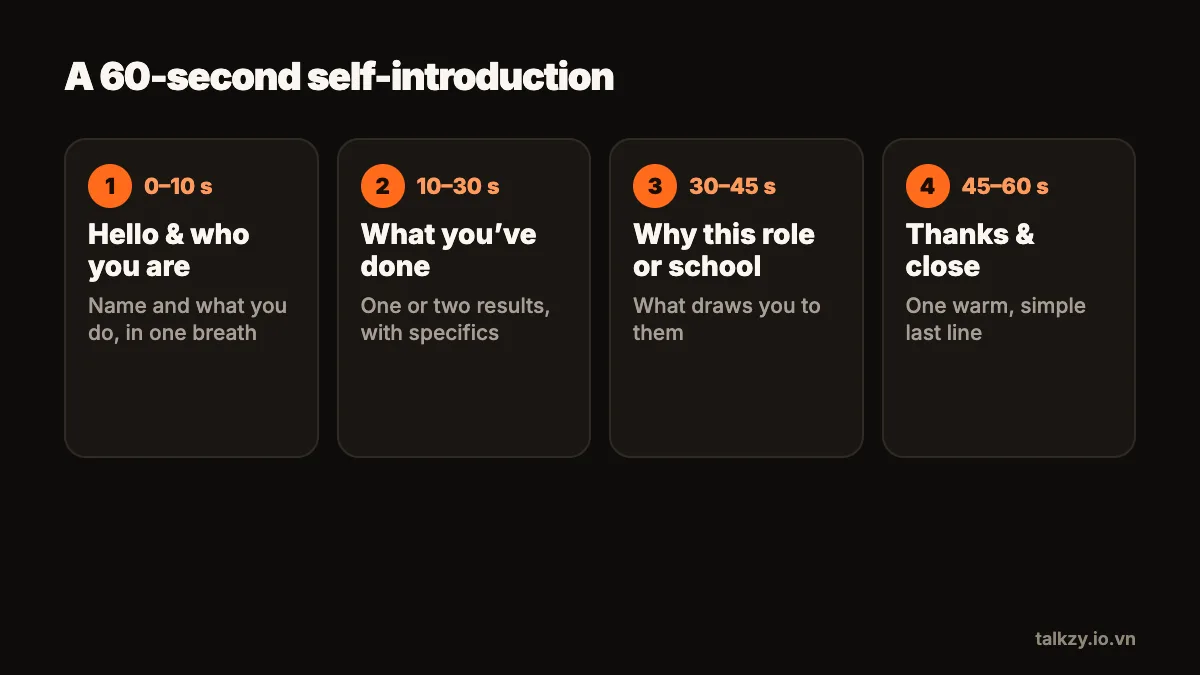
Four short parts, in this order:
- 1Hello and who you are (0–10 seconds): your name, what you do or study now, and the role or programme you are applying for.
- 2What you have done (10–30 seconds): one or two achievements that match what they are looking for, each with a concrete result or detail.
- 3Why this role or school (30–45 seconds): one specific reason that shows you know who you are talking to.
- 4Thanks and close (45–60 seconds): a one-line summary of what you would bring, then thank them.
If the limit is 90 seconds or two minutes, keep the same four parts and give the middle two more room. Don’t add a fifth topic.
What could the script sound like?
Here is a sample you can adapt. It is about 125 words, which fits a minute at a relaxed pace:
“Hi, I’m Linh. I’m in my final year of marketing at university, and I’m applying for the content marketing internship.
Last year I ran the social media for our student club. I planned a weekly video series, wrote the scripts and filmed them on my phone, and over one semester our sign-ups for events roughly doubled.
I also worked part-time in a bookshop, where I learned to explain a product in one sentence to someone in a hurry.
I’m applying to your team because your short videos teach something real in under a minute, and that is exactly the kind of work I want to get better at.
I’d bring the habit of writing, filming and improving every week. Thank you for watching.”
Replace every detail with your own, and only claim results you can explain if asked about them in an interview.
How do I write it so it sounds like me?
- Write the way you would say it to a friendly interviewer: short sentences, everyday words, contractions.
- One idea per line. A new line reminds you to breathe and lets you find your place quickly.
- Say numbers and names the way you will pronounce them.
- Read it aloud with a timer. If it runs long, cut a detail, don’t speed up.
- Prepare a version in each language they ask for as its own script. Translating on the fly while reading is how stumbles happen.
How do I set up the phone and the room?
- 1Choose a quiet room with a plain or tidy background. A bookshelf or a blank wall is fine; an unmade bed is not.
- 2Face a window or a lamp so the light falls on your face from the front.
- 3Put the phone on a tripod or a stack of books at eye level, about an arm’s length or a little more away.
- 4Frame yourself from the chest up, with a little space above your head, and look straight at the lens.
- 5Dress the way you would for the interview, at least from the waist up.
- 6Turn on Do Not Disturb, then record ten seconds and play it back with sound before the real take.
How do I read the script without looking like I’m reading?
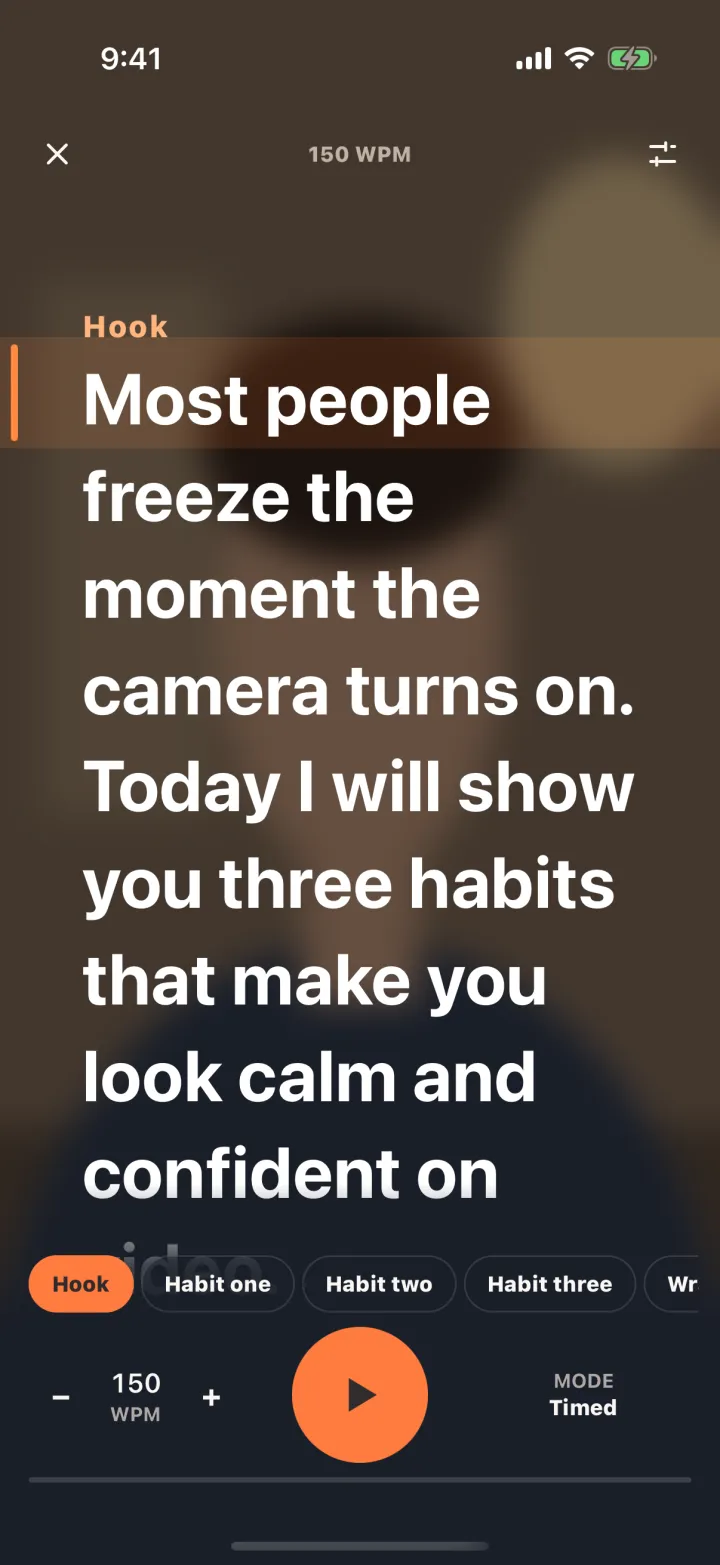
Reviewers notice eyes first. If the script sits in the middle of the screen or on a laptop beside the phone, your gaze drifts away from the lens and it reads as notes. Keep the text in a narrow column as close to the front camera as possible, make it large, and keep the phone far enough away that small eye movements don’t show.
Learn your first sentence by heart so you can start with a smile instead of a glance. Then read in phrases: look at a line, lift your eyes slightly to the lens, and say it. Pauses are fine; rushing is not.
Record each of the four parts as its own take if a full minute in one go feels like a lot. You can join the best takes in any video editor, and a short cut between parts is normal in this kind of video.
What mistakes should I avoid?
- Starting with a long greeting or apologising for the video.
- Reading your CV line by line instead of telling one or two stories.
- Going over the time limit. Over a minute when they asked for a minute looks like you didn’t read the brief.
- Bad sound. Echo or a fan in the background is more tiring to watch than a slightly dark picture.
- Sending the first take. Watch it once, fix one thing, and record again.
Where Talkzy helps
Talkzy is a teleprompter for iPhone and iPad: paste your script and it shows the word count and how long it will take at your speed, so you know before recording whether it fits the limit. The text runs in a narrow column right under the front camera, so you can read and still look at the lens.
Start each part with a line beginning with # and it becomes a section you can retake on its own. With voice-follow (beta), the script scrolls as you talk and waits when you pause, using speech recognition on the device. Every take is kept as its own clip named after your script, with no watermark, so you can pick the best one calmly.