How to use a Word document or Google Doc as a teleprompter script on a Mac
Published October 26, 2026 · 5 min read
Most scripts start life in Word or Google Docs, and a teleprompter does not need any of that formatting. The quick way is to get plain text out of the document: download or export the file as .docx or .txt, or paste the text with the formatting stripped, then check it before you read it aloud.
This guide covers the steps, the formatting that causes trouble on a prompter, and how Talkzy for Mac handles a Word file.
Why you should not read straight from the document
A word processor is built for printing and editing, not for reading from two metres away while you look at a lens. Small fonts, long paragraphs, comments in the margin and tracked changes all get in the way once the text is on a prompter.
- Long paragraphs hide where one sentence ends and the next begins.
- Comments, tracked changes and footnotes are not part of what you say.
- Stage directions such as “(smile)” or “[pause]” look like script text unless you mark them.
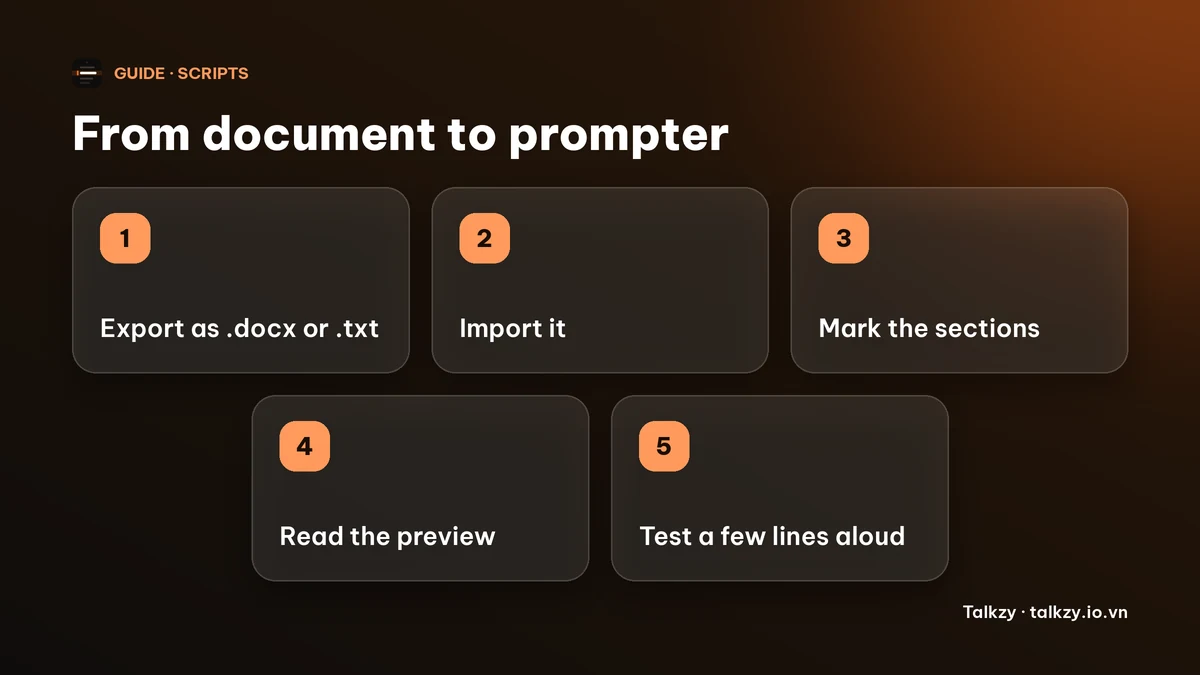
Step 1: get the text out of the document
In Google Docs, use File, then Download, and choose Microsoft Word (.docx) or Plain text (.txt). In Word, save a copy as .docx or as plain text. In Pages, File, then Export To, offers Word and Plain Text. The exact menu names can differ between app versions.
Plain text is the safest choice when you only need the words. A .docx keeps your headings, which helps if you want sections.
Step 2: clean the script before it goes on the prompter
- 1Remove comments, suggestions and anything you do not say aloud.
- 2Split long paragraphs into short spoken sentences, one idea per line.
- 3Write numbers and names the way you say them, for example “twenty twenty-six”, if you stumble on them.
- 4Put each stage direction on its own line and decide whether it is a note to yourself or a section marker (see below).
Step 3: mark the sections
Sections let you jump to a part of a long script without scrolling through the rest, and they show how the script is built. In Word and Google Docs, apply a Heading or Title style to the lines that start a new part. Keep the headings short.
A heading is a label, not something you read aloud, so do not put spoken words in it.
Step 4: check the result before you go live
Open the script on the prompter and read the first few lines out loud at your normal pace. Look for stray symbols, missing line breaks and notes that ended up in the text. Fix them in the script, not on the fly.
A quick word count tells you how long it will take. Most people speak at about 130 to 160 words a minute, so a 600-word script runs roughly four minutes.
How Talkzy for Mac imports a Word file
Talkzy for Mac is a script bar that hangs from the MacBook’s notch, or sits top-centre on a display without one, and stays above Zoom, Meet or Keynote. It is on the Mac App Store for macOS 14 or later.
- Import a .txt, .md, .rtf or .docx file with Import in the Library or Command-O, or paste the text into a new script. You can choose several files at once, and each one becomes its own script named after the file.
- From a .docx, Talkzy reads the text of each paragraph. A paragraph styled as a Heading or Title becomes a line starting with # (a section), which is Talkzy’s section syntax. Comments, images and page layout are not carried over.
- Markdown marks such as **bold**, backticks and links are removed so only the words remain.
- A line that starts with # is a section, and so is a line that is only a word or phrase in [square brackets]. If you write “[pause]” on its own line, Talkzy will treat it as a section named “pause”, so write directions inside the sentence or leave them out.
- The section hotkeys are free. The section chips on the bar are part of Talkzy Pro.
The iPhone and iPad app is coming soon to the App Store.
Frequently asked questions
- Can I import a Word document into a teleprompter?
- Yes, if the app supports it. Talkzy for Mac imports .docx files, as well as .txt, .md and .rtf. You can also paste the text. Check the script after importing, because only the text comes across.
- How do I use a Google Doc as a teleprompter script?
- Download it from File, then Download, as Microsoft Word (.docx) or Plain text (.txt), and import that file, or copy the text and paste it into your teleprompter. Remove comments and suggestions first.
- Will my Word headings turn into sections in Talkzy?
- In Talkzy for Mac, a paragraph with a Heading or Title style in a .docx becomes a section. Text you only made bold or bigger by hand is not a heading, so apply the real style.
- Why did a line in square brackets become a section?
- In Talkzy, a line that is only text in [square brackets] is a section marker. Rewrite stage directions so they are not alone on a line in brackets, or delete them from the script.