Can you use notes in a video interview? How to do it without looking down
Published October 10, 2026 · 6 min read
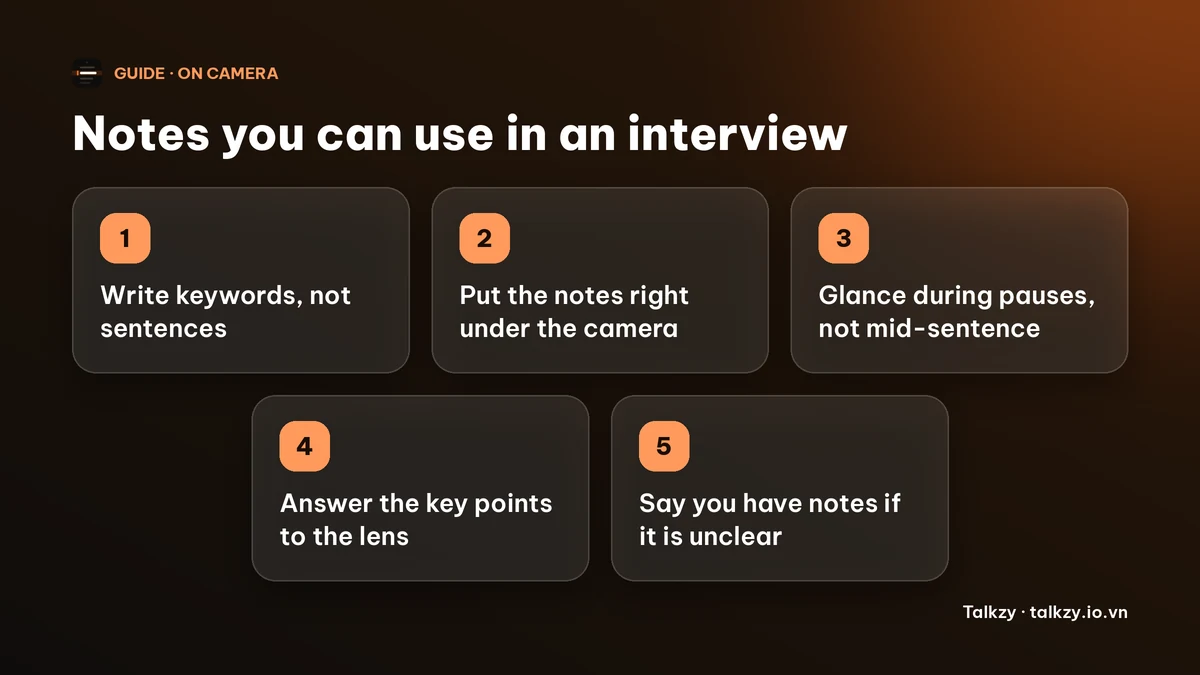
Yes, in most video interviews you can use notes, and many interviewers expect you to. The trick is to keep them to a few keywords, put them right under the camera so your eyes barely move, glance during natural pauses and never read an answer word for word. If the interview is a test or assessment, or the invitation says no notes, follow that rule. When it is unclear, there is no harm in saying you have a few points written down.
Most advice online stops at “put sticky notes around your screen”. This guide goes further: what to write, where exactly to put it, how to glance so it looks like thinking, and how to keep the notes off a shared screen. It works with paper, a notes window on your computer or a teleprompter app.
Is it okay to use notes in a video interview?
For a normal job, school or scholarship interview, a few notes are common and usually accepted. Interviewers know you may want to remember your examples, the numbers behind them and the questions you want to ask. What reads badly is a visible script: eyes sliding down a page and an answer that sounds written.
- Fine in most cases: keywords, two or three numbers, the names of the people and projects, your questions for them.
- Risky: whole paragraphs read aloud, or notes that make you stare away from the camera for more than a second or two.
- Not fine: anything in a timed test, an assessment or an interview whose rules say no notes. Check the invitation. If it is not stated, you can simply ask, or mention at the start that you have a few points in front of you.
Being open about it is the safest policy. A quick “I wrote down a couple of examples so I don’t forget them” sounds organised, not dishonest.
What should I write on my notes?
Think of notes as a map, not a script. The goal is to jog your memory, so each item should be a few words.
- 1Your opening: one line on who you are and why this role. This is the only part worth having close to word for word.
- 2Three to five stories, one line each, with a key word per part: situation, what you did, result. Put the real number next to the result.
- 3Facts you might blank on: the company’s name and products, the interviewer’s name, dates, figures.
- 4Two or three questions to ask them at the end.
- 5Your closing line.
Use large type or big handwriting. If you can’t read it from an arm’s length away without leaning in, it is too small.
Where should I put my notes so I don’t look down?
The closer your notes are to the camera lens, the less your eyes move, and the more it looks like eye contact on the other side.
- On a laptop or monitor, open the notes in a narrow window at the top centre of the screen, just under the camera, two or three lines tall.
- Keep the call window and the interviewer’s face there too, so that glancing at a note and at the person are almost the same movement.
- Paper and sticky notes work best at the sides of the screen at the height of the camera, not flat on the desk. Looking down at a desk is the giveaway.
- Lift your laptop on a stack of books so that the camera is at eye level; it fixes the “looking down” angle at the source.
- Don’t put the notes on a second monitor far to one side. A big sideways glance is easy to see.
A good test is to record a one-minute test call with a friend or with yourself, watch it back with the sound off and ask: can I tell where I’m looking?
How do I glance at notes without it showing?
- Glance while the interviewer is talking or when you pause to think, not in the middle of a sentence.
- Take in a whole line at once, then look back to the lens before you speak. Read, look up, then say it.
- Use the pause on purpose. “Let me think about the best example” and a short look at your notes sounds thoughtful.
- Answer to the lens for the key moment: the result and the close. That is what the interviewer remembers.
- If you lose your place, stop and take a breath rather than hunt for it. A two-second silence is much less noticeable than rummaging.
- Keep your notes quiet. Turn pages before you start, not while you speak, and don’t let paper rustle near the microphone.
How do I keep notes out of a shared screen?
Some interviews include a task where you share your screen. Whatever is on the screen goes with it, including a notes window.
- In Zoom, share one window or app. In Google Meet, share a tab or a window. Don’t share your entire screen.
- If you must share the entire screen, close or move the notes first, or use paper or a second device instead.
- Test it before the interview with a friend and ask what they see.
How much should I rehearse?
Notes help most when you barely need them. Say each story aloud three or four times with the notes in the place they will be on the day, so that the glance becomes a habit. If you’d like a method for the stories themselves, our guide on memorizing a script shows how to learn the structure rather than the words. If you are asked to introduce yourself first, our self-introduction guide has a sample script.
Where Talkzy helps
You don’t need an app for any of this; paper and a notes window do the job. If you’d like your notes to hang right under the camera of a Mac, Talkzy for Mac does that.
- It is a slim script bar docked under the MacBook’s notch, or a card at the top centre of a display without one, and it stays on top of the call window.
- You can paste in your keywords and stories, with a # line starting each section, and jump between sections.
- It has a built-in check of what others would see if you shared your screen, which needs Screen Recording permission and which you run yourself. Meeting apps capture screens in different ways, so treat the result as a strong hint, not a promise. A global shortcut, ⌃⌥⌘H by default, hides the bar at any time.
- Talkzy for Mac is on the Mac App Store, for macOS 14 or later. The iPhone and iPad app is coming soon to the App Store.
Frequently asked questions
- Can the interviewer tell I’m using notes?
- Sometimes. They can’t see your notes, but they can see your eyes and hear a written rhythm. Short keyword notes right under the camera, glances during pauses and answers delivered to the lens make it much harder to notice.
- Is using notes in an interview cheating?
- For a normal interview, no. Candidates commonly keep a few notes, and many interviewers expect it. It becomes a problem in a test or assessment or when the rules say no notes, so follow what the invitation says, and if you are unsure, ask or mention it.
- Should I write out my answers in full?
- No. Full answers make you read, and you will sound scripted. Write keywords and numbers, and keep only your opening and closing near word for word.
- Where do I look during a video interview?
- Look at the camera lens when you deliver the key points, and at the interviewer’s face when they speak. Put the call window and your notes right under the camera so the two directions are close together.