How to make eye contact on Zoom and video calls (and still read your notes)
Published October 14, 2026 · 6 min read
You can’t look at the other person’s face and at the camera at the same time, because they are in different places. To make eye contact on a video call, shrink the call window and drag it to the top of the screen, directly under the camera, raise the camera to eye level, and spend most of your speaking time looking at the lens. Put any notes in the same spot, right under the camera, so reading them doesn’t pull your eyes away.
Most advice stops at “look at the camera”. This guide explains why it feels so unnatural, how big the problem really is, and a setup that makes it easy on a laptop, a monitor or a Mac. It works with any app, and you don’t need to buy anything.
Why can’t I make eye contact on Zoom or Google Meet?
The camera is a small lens in the bezel, and the faces you want to look at are on the screen, usually a few centimetres below it. When you look at a face, your eyes point at the screen, and to the other person it looks like you are looking slightly down or to the side. When you look at the lens, you look right at them, but you can’t see their reaction.
The size of the gap depends on distance. At about 60 cm from the screen, a face 10 cm below the lens is about 9 degrees below it. That is enough for others to read it as looking down. The same face 2 cm below the lens is only about 2 degrees off, which most people read as normal eye contact. So the goal is not to stare at the lens; it is to bring what you look at closer to the lens.
How do I set up the screen so I look at the camera?
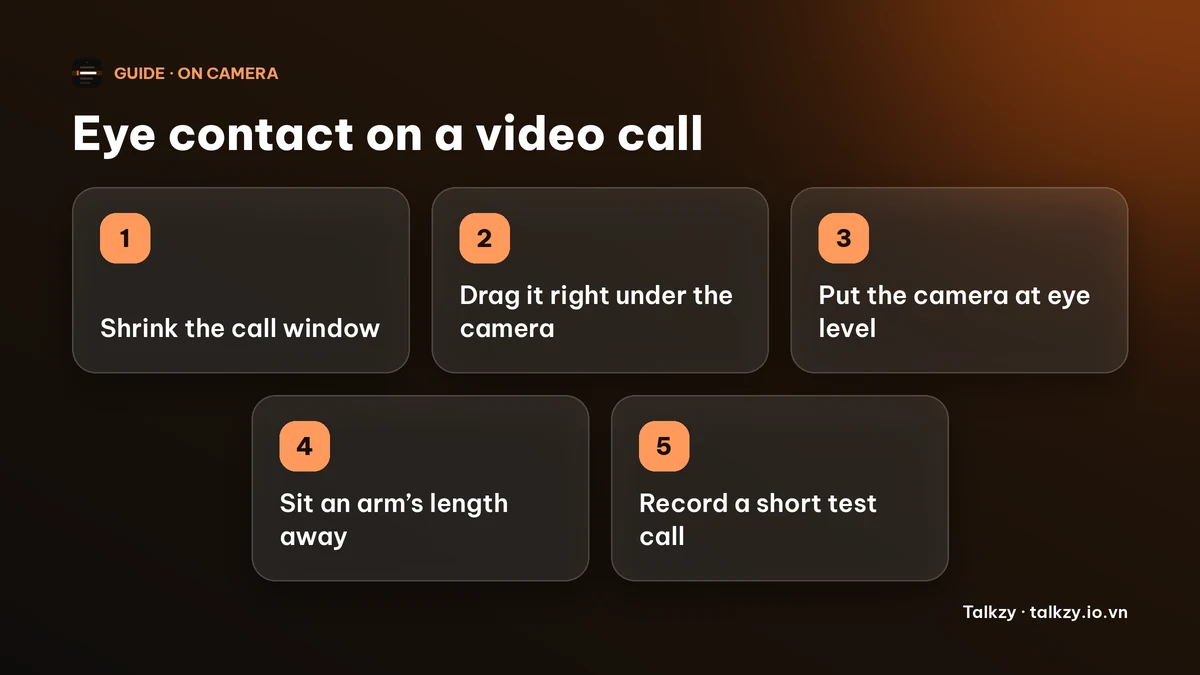
- 1Make the call window small. A full-screen gallery puts faces far from the lens. Resize the window so it is about a third of the screen wide.
- 2Drag it to the top centre, so the person who is talking sits just under the camera. In most apps you can pull the window by its title bar; some also have a setting to move the video grid or the active speaker.
- 3Raise the camera to eye level. A laptop on a stack of books, or an external webcam clipped to the top of a monitor, puts the lens level with your eyes. A camera below your eyes makes you look down at it and shows the underside of your chin.
- 4Sit about an arm’s length away. The further you sit, the smaller the angle between the lens and the screen, and the less the gap shows.
- 5Check what you look like. Record a short test call and watch where your eyes seem to point.
Where should I look while I’m talking, and while I’m listening?
Treat the two moments differently.
- While you speak: look at the lens for the important points, such as your opening, your main message and the ask. Glance at the faces between points, the way you would in a room.
- While you listen: look at the person on the screen. It is natural, you can read their reactions, and nobody notices where your eyes point when you aren’t talking.
- Don’t stare. A fixed, unblinking look at a lens feels intense. Look away briefly now and then, and finish a sentence by looking at the person.
- Smile a little at the lens when you greet people and when you sign off; that is the moment eye contact reads most strongly.
What about eye-contact correction in video apps?
Some video apps and system settings offer a feature that redraws your eyes so they seem to look at the camera. Whether you have it depends on the app, the version and the device, so check its settings rather than assume. It can help for casual calls, but it can also look odd if you move your head a lot, look away or wear glasses, so test it on a short call first. A good setup is more reliable than a filter.
How do I read notes without breaking eye contact?
Notes are the most common reason people look away. The fix is the same as for the call window: put them as close to the lens as you can.
- Write a few key phrases, not sentences, and put numbers and names in plain view.
- Show two or three lines in a narrow column right under the camera, with large text. A page of small text further down the screen sends your eyes down.
- Keep the notes window on top of the call window, so you can read without switching apps.
- Don’t read word for word. Glance at a phrase, then look at the lens and say it. Our guide on notes in a video interview has more on what to write.
- Don’t share your whole screen while your notes are visible. Share one window or tab, and ask a friend what they see before the call.
| Placement | Eyes move | Looks like eye contact? |
|---|---|---|
| A sticky note on the bezel beside the camera | A little sideways | Mostly, if you keep it short |
| A narrow notes window right under the camera | Very little | Yes |
| Notes in a second window lower on the screen | Noticeably down | No, it reads as looking down |
| Notes on a second monitor or on your lap | A lot | No |
Where Talkzy helps
Talkzy for Mac is built for exactly this spot: a slim script bar that hangs from the MacBook’s notch, or sits top-centre on a display without one, above your call window. It is on the Mac App Store for macOS 14 or later.
- You can drag it elsewhere; let go near its home and it snaps back.
- The script scrolls on its own at a speed you set, by hand, or by following your voice (beta, recognised on the device).
- A shortcut shows or hides the bar, and Settings has a check of what others would see in a screen share.
- The overlay, timed and manual scrolling and the shortcuts are free; voice-follow is free for 3 sessions a day, and Pro removes the limit.
The iPhone and iPad app is coming soon to the App Store.
Frequently asked questions
- How do I make eye contact on Zoom?
- Make the Zoom window small, drag it to the top of the screen directly under the camera, put the camera at eye level and look at the lens while you speak. Look at the faces while you listen.
- Should I look at the camera or at the person on the screen?
- Both. Look at the lens for the points that matter while you speak, and at the person while you listen. Moving the video window under the camera makes the two directions almost the same.
- Why do I look like I’m looking down on a video call?
- Usually the camera is below eye level, or you are reading faces or notes lower on the screen than the lens. Raise the camera, bring the call window to the top of the screen and keep notes right under the lens.
- Can I use notes on a call without looking away?
- Yes, if they are short and placed directly under the camera, in large text, two or three lines at a time. Avoid reading word for word, and don’t share your whole screen while they show.